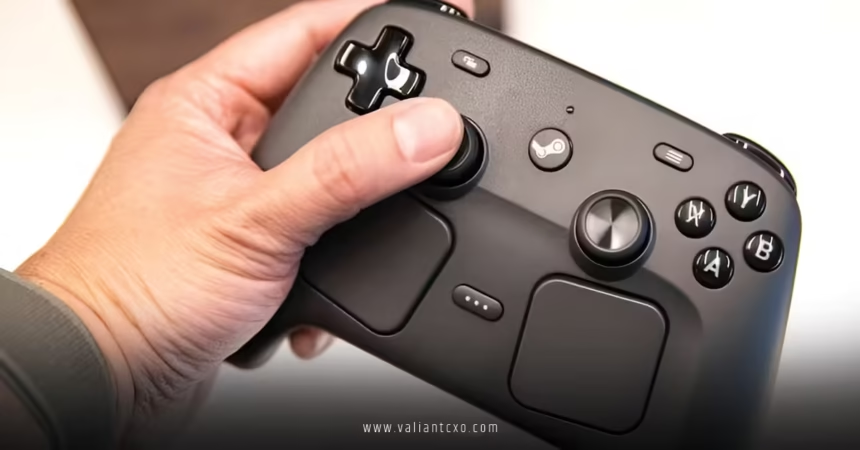
Valve Steam Controller latency benchmarks battery life numbers just dropped from real tests, and they’re better than most expected for a fresh 2026 release. This isn’t the old 2015 trackpad experiment. It’s a refined controller built around desktop and living room play with low-latency wireless, marathon battery, and modern TMR thumbsticks.
- Wireless latency with puck: ~21.6ms average full system (Gamers Nexus tests).
- Battery life: 35+ hours claimed; lab torture test hit nearly 73 hours of constant input before dying.
- Why it matters: You get near-wired feel without cables, plus easy magnetic charging that keeps sessions rolling.
Here’s the thing. Most controllers force trade-offs. This one minimizes them for Steam library warriors who jump between FPS, strategy, and everything in between.
Valve Steam Controller Latency Breakdown: Wired vs Wireless vs Bluetooth
Latency decides whether your inputs feel instant or like you’re fighting the game. Valve’s new Steam Controller shines here thanks to a dedicated 2.4GHz puck connection at 250Hz polling.
Key benchmark results (full system latency from Gamers Nexus testing):
| Connection Type | Average Latency | Standard Deviation | Notes |
|---|---|---|---|
| Wired | 19ms | 3.1 | Baseline excellence, just 4ms over high-end mouse |
| Wireless (Puck) | 21.6ms | 3.1 | Nearly identical consistency; second controller barely moved it to 21.9ms |
| Bluetooth (alone) | 37.3ms | 20.6 | Noticeably worse and inconsistent under interference |
| Puck + Bluetooth interference | ~21.8ms | 3.4 | Puck holds strong |
The puck makes wireless viable for competitive play. That tiny jump from wired barely registers in real games. Bluetooth? Skip it for precision titles unless you’re in a clean environment.
What usually happens is people blame their aim when it’s actually the connection. With this setup, you remove that excuse.
Battery Life That Outlasts Your Gaming Sessions
Valve rates the 8.39 Wh internal battery for 35+ hours. Real testing smashed that in controlled conditions. Gamers Nexus ran constant inputs and watched it go nearly 73 hours before shutdown. Real-world use with haptics and rumble drops it, but 30-40 hours still feels effortless.
The magnetic puck doubles as a charger. Snap it on when you set the controller down. No fumbling with cables mid-session. That design choice turns battery anxiety into a non-issue.
Pro tip: Turn off the controller with the dedicated shortcut when you’re done. Idle drain stays minimal.
How the Steam Controller Compares to Popular Alternatives
| Controller | Wireless Latency (approx.) | Battery Life | Standout Feature | Best For |
|---|---|---|---|---|
| Valve Steam Controller (2026) | 21.6ms (puck) | 35+ hrs | TMR sticks + puck charging | Steam PC / living room |
| Xbox Elite Series 2 | ~25-30ms | 20-40 hrs | Modular paddles | Console-style precision |
| DualSense Edge | ~30ms+ | ~10-15 hrs | Haptic triggers | PlayStation ecosystem |
| Older Steam Controller (2015) | Higher variance | AA batteries (~50-80 hrs variable) | Trackpads | Niche configurability |
This new version bridges the gap. It feels purpose-built for PC gamers tired of generic pads.
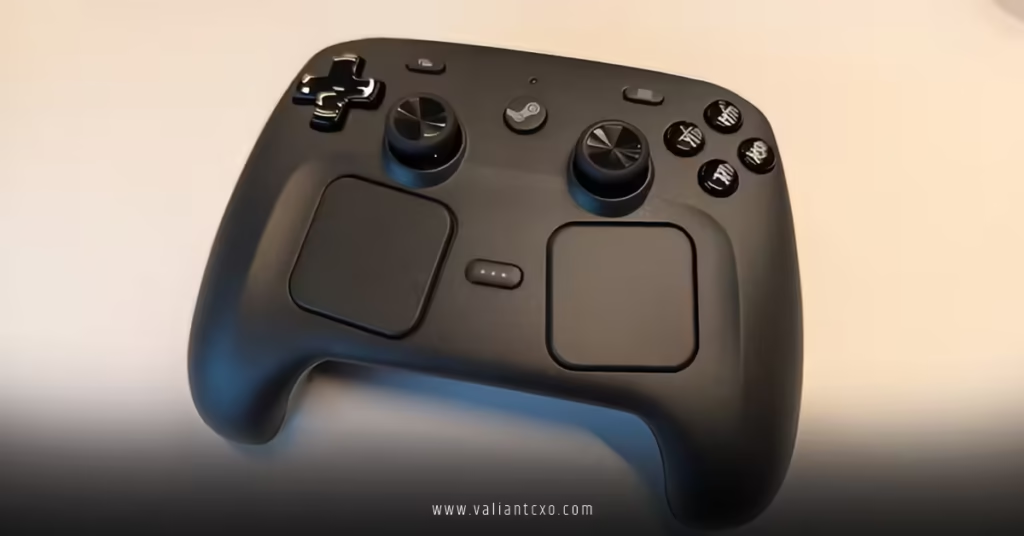
Step-by-Step Setup for Beginners: Get Low Latency Fast
New to the Steam Controller? Follow this exact flow.
- Unbox and charge: Snap the puck on magnetically. Plug into USB. Full charge takes a couple hours.
- Pair wirelessly: Hold the Steam button + pairing combo. The puck handles the heavy lifting for that 2.4GHz link.
- Steam Big Picture Mode: Launch Steam, enable controller support. Test in a simple game first.
- Tweak sensitivity: Open Steam Input settings. Adjust deadzones (TMR sticks already run tight) and gyro if you want motion controls.
- Test latency yourself: Play a rhythm game or use an on-screen input lag tester. Tweak polling if available.
What I’d do if I were setting this up today: Prioritize the puck connection over Bluetooth immediately. Map common actions to the grip buttons and trackpads for faster access. Spend 20 minutes in a single-player title calibrating feel before jumping online.
Common Mistakes & How to Fix Them
- Defaulting to Bluetooth: Latency spikes and inconsistency ruin aiming. Fix: Always use the puck for gaming.
- Ignoring firmware: Outdated software adds hidden delays. Fix: Check Steam for updates right after setup.
- Over-relying on trackpads: Great for menus, overkill for pure analog movement. Fix: Hybrid use—TMR sticks for camera/character, pads for precision.
- Forgetting the power button: Leaves it draining slowly. Fix: Use Steam+Y shortcut religiously.
- Expecting mouse-perfect tracking everywhere: It’s phenomenal but physics still apply in some titles. Fix: Combine with gyro for hybrid control.
Valve Steam Controller Latency Benchmarks Battery Life in Demanding Games
In fast-paced shooters, that 21-22ms wireless window keeps you competitive. Strategy games love the trackpads for precise scrolling and unit selection. Indie titles and emulators benefit from the configurability.
The TMR (tunnel magnetoresistance) thumbsticks deliver smoother response and longer lifespan than traditional pots. Less drift over time means fewer replacements.
Ever wonder why some controllers die in your hands after a year? These magnetic sensors dodge that headache.
Key Takeaways
- Wireless puck latency sits impressively close to wired at ~21.6ms with rock-solid consistency.
- Battery life exceeds 35 hours easily in practice, backed by magnetic charging convenience.
- TMR sticks + gyro + trackpads create versatile input options for your full Steam library.
- Avoid Bluetooth for serious play—puck is the hero connection.
- Easy disassembly supports long-term ownership.
- Strong for both casual couch sessions and competitive desktop use.
- Setup takes minutes but rewards 15-30 minutes of input tweaking.
- Delivers one of the best all-rounder experiences for PC gamers in 2026.
Bottom line: If you live in Steam and want a controller that disappears so you focus on the game, this one earns its spot. Grab the puck, charge it once, and play for days. Head over to the Steam Hardware page for official specs, check Gamers Nexus for the full teardown, and read Tom’s Hardware Steam Controller review for more ecosystem thoughts.
Now fire up your library and see how it feels.
FAQs
How does Valve Steam Controller latency benchmarks battery life hold up for competitive FPS games?
Wireless puck performance at 21.6ms average keeps it competitive. Consistency matters more than the raw number, and this controller delivers low variance that won’t hold you back in most titles.
What real-world battery life should I expect from the Valve Steam Controller?
Plan on 30-40+ hours with mixed use including rumble. Lab tests pushed nearly 73 hours, proving Valve’s 35+ hour claim is conservative for lighter sessions.
Does the new Steam Controller support Bluetooth well enough for casual play?
It works but expect higher and more variable latency around 37ms. Stick with the dedicated puck for anything requiring precision