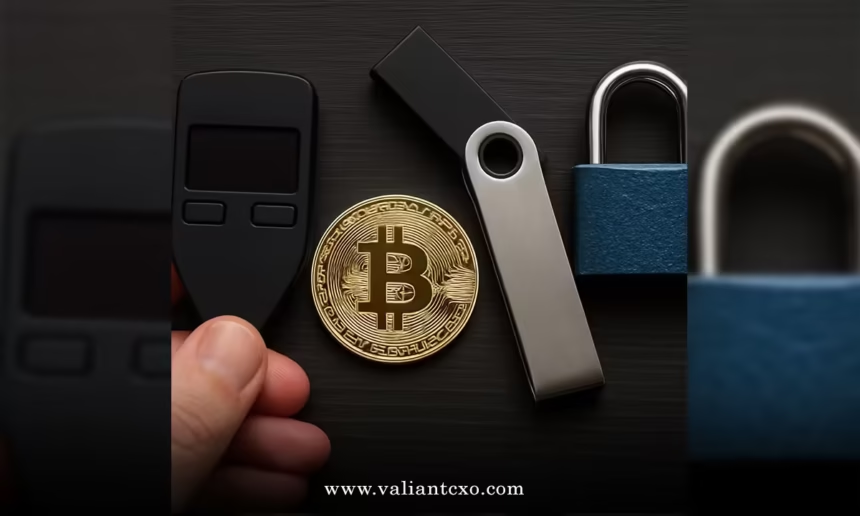
Bitcoin hardware wallet security best practices start with one hard truth: the device is only as strong as the habits around it. In 2026 a firmware flaw in certain Coldcard models turned weak entropy into roughly $130 million in losses. That same wave of security concern helped push many long-dormant holders to move coins—exactly the activity covered in Why are decade-old Bitcoin wallets moving in 2026. The lesson is simple. Self-custody fails when people treat the hardware as magic rather than a tool that still needs rigorous process.
Here’s the short version of what actually works:
- Buy only from the manufacturer and verify the device is genuine before setup.
- Generate the seed with user-supplied entropy (dice rolls or coin flips) instead of trusting the device alone.
- Confirm every receive address and transaction amount on the hardware screen itself.
- Store the seed on metal, in at least two geographically separate locations, and never digitally.
- Move to multisig once holdings exceed an amount you cannot afford to lose to a single point of failure.
- Keep firmware current, but understand that an update cannot fix a seed already generated with weak randomness.
In my experience, most losses come from operational mistakes, not broken cryptography. The following practices close those gaps.
Why hardware wallets still need strict discipline
A hardware wallet keeps private keys offline. That is the core advantage. It does not make the seed invincible, the supply chain trustworthy, or the operator immune to phishing. The 2026 Coldcard incident proved the point: a five-year-old firmware bug reduced effective entropy on some devices, letting attackers guess seeds without physical access. Owners who had supplied their own dice rolls were unaffected. Those who accepted the default generation were not.
The same principle applies to every brand. Air-gapped designs reduce USB attack surface. Open-source firmware allows independent review. Secure elements resist physical extraction. None of those features matter if the seed lives on a photo in your phone or if you blindly sign whatever the computer screen shows.
Core Bitcoin hardware wallet security best practices
1. Purchase and authenticity
Order directly from the manufacturer’s site. Avoid Amazon, eBay, or any third-party reseller. Counterfeit devices have appeared in the wild for years. Once the package arrives, run the official genuine-check procedure before powering it on for setup. If the seal looks disturbed or the check fails, refuse the device.
2. Seed generation with real entropy
Never accept the default random number generator without adding your own randomness. Casino dice (99 rolls for a 24-word seed) or coin flips remain the practical gold standard. The device mixes your entropy with its own. This single step would have prevented the bulk of the Coldcard losses. Write the words by hand on paper first, then transfer them to metal once verified.
3. Address and transaction verification
Malware can change the address displayed on your computer. It cannot change the screen on a properly designed hardware wallet. Before every receive or send, match the full address and amount on the device itself. Make this non-negotiable. Address poisoning attacks rely on people only checking the first and last few characters.
4. Seed backup and storage
Paper yellows, burns, and gets wet. Punch or engrave the 12 or 24 words onto a stainless-steel or titanium plate. Store one plate in a home safe and a second in a geographically separate location (bank box, trusted relative’s safe, etc.). Never photograph the seed. Never type it into a computer or phone. Never store it in a password manager. If you use a passphrase (the optional 25th word), treat it with the same physical care and store it separately from the main seed.
5. Device hygiene and access control
Set a strong, random PIN—not a birthday or simple sequence. Keep the device in a locked location when not in use. Perform a health check every six months: power it on, verify it still boots, and confirm a small test transaction still works. Firmware updates should come only from the official source after you have read the changelog. An update cannot repair a seed generated under a prior vulnerability; only migration to a new seed can.
6. Scale security with the stack
Single-signature is fine for amounts you can replace. Once the holding becomes life-changing, move to multisig (2-of-3 or 3-of-5) across devices from different vendors. That way a single manufacturer flaw, supply-chain compromise, or physical theft cannot empty the wallet. Document the full descriptor (keys, fingerprints, paths, script type) and test recovery before funding.
Comparison of common security levels
| Security Level | Typical Setup | Seed Backup | Best For | Main Remaining Risk |
|---|---|---|---|---|
| Basic | Single hardware wallet, default entropy | Paper + one metal plate | Small holdings | Device or seed single-point failure |
| Intermediate | Single wallet + user entropy + passphrase | Two metal plates, separate locations | Medium holdings | Physical theft of both backups |
| Advanced | Multi-vendor multisig + user entropy | Shamir or split keys + metal | Significant long-term holdings | Coordination failure or lost shares |
| Maximalist | Air-gapped multisig + own node | Geographically distributed metal + tested recovery | Very large stacks | Operational complexity |
Step-by-step setup for a new hardware wallet
- Order from the official website and inspect the package for tampering.
- Run the genuine-check procedure.
- Generate the seed using dice or coin flips. Write every word carefully.
- Have the device quiz you on the words to confirm accuracy.
- Create a metal backup immediately and verify it by restoring to a second device or the same device after a wipe (test with a tiny amount of bitcoin first).
- Set a strong PIN and optional passphrase.
- Send a dust-sized test transaction to a new receive address. Confirm the address on the hardware screen.
- Only after the test succeeds, move the bulk of funds.
- Document recovery instructions for an executor who is not a technical expert.
- Schedule a calendar reminder for the six-month health check.
Common mistakes and how to fix them
The most expensive error is accepting device-generated entropy without adding your own. The fix is migration: create a new seed with proper randomness and move the coins. Another frequent failure is storing the seed digitally “just in case.” Delete every photo, text file, or cloud backup and replace them with metal. People also skip address verification on the device screen because it feels slow. Make it automatic—every time.
Sharing the seed with “support” is still a classic social-engineering win for attackers. No legitimate manufacturer will ever ask for it. If someone does, hang up or close the ticket. Finally, neglecting inheritance planning turns a secure setup into a future loss. Write clear, non-technical instructions and store them with the backups.
Key Takeaways
- Bitcoin hardware wallet security best practices center on user-controlled entropy, on-device verification, and physical seed protection.
- The 2026 Coldcard entropy flaw showed that even reputable devices can fail if the seed-generation process is weak.
- Buy direct, verify authenticity, and never reuse a compromised seed—firmware updates cannot fix past generation errors.
- Metal backups in separate locations beat paper or digital storage every time.
- Multisig across vendors becomes essential once the amount is too large to risk a single failure.
- Regular health checks and tested recovery turn theory into reliable practice.
- Operational discipline matters more than brand marketing.
The practical next step is immediate. If your current seed was generated without added entropy, create a new one this weekend and move the funds. Once the process is solid, the same security mindset that protects new wallets also explains why so many older ones finally stirred in 2026.
FAQs
What is the single most important Bitcoin hardware wallet security best practice?
Confirming every address and amount on the device screen itself. Everything else can be perfect and still fail if malware tricks the computer display.
Should I use a passphrase with my hardware wallet?
Only if you can store it as carefully as the main seed and will never forget the exact string. For most people, a clean 24-word seed plus metal backups and multisig is simpler and safer.
How often should I update firmware?
Whenever the manufacturer releases a security advisory. Read the changelog first. Remember that an update cannot repair a seed already created under a vulnerable process—only a full migration can.