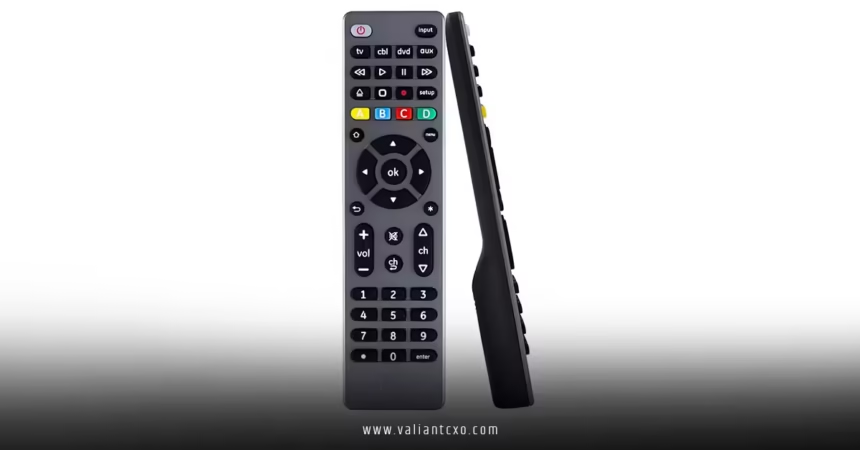
How to program a GE universal remote is that one hack that turns chaos into chill—consolidating control of your TV, DVD player, soundbar, and even that quirky streaming stick into a single, sleek device. I’ve been there, fumbling through button mazes during movie nights, and trust me, once you nail this, you’ll wonder how you ever survived without it. In this guide, we’ll dive deep into the nitty-gritty, step by step, so even if tech isn’t your love language, you’ll emerge victorious. Ready to reclaim your remote throne? Let’s get programming.
Why Bother Learning How to Program a GE Universal Remote?
Picture this: Your living room is a battlefield of plastic warriors— the TV remote buried under cushions, the DVD one’s batteries long dead, and don’t get me started on the cable box clicker that only works if you whisper sweet nothings to it. Enter the GE universal remote, the Swiss Army knife of home entertainment. These bad boys, made by Jasco under the GE banner, promise to wrangle up to four devices with one unit. But why go universal? For starters, it’s eco-friendly (fewer batteries in landfills), wallet-friendly (no splurging on replacements), and sanity-saving—imagine binge-watching without the remote Olympics.
I’ve programmed dozens over the years for friends and family, and the payoff is huge. No more “Honey, where’s the Roku remote?” mid-episode. Plus, GE models like the 33709 or 48293 are affordable, starting around $10, and compatible with thousands of brands. But here’s the kicker: Without proper setup, it’s just an expensive paperweight. That’s where mastering how to program a GE universal remote comes in. We’ll cover everything from prep to pitfalls, ensuring your setup sticks like glue.
Getting Ready: Essentials Before You Start How to Program a GE Universal Remote
Diving in blind is like baking a cake without flour—messy and frustrating. So, let’s stock your toolkit first. How to program a GE universal remote starts with the basics: fresh batteries (AA or AAA, depending on model), your target devices powered on, and a clear line of sight—no cat on the couch blocking signals.
Hunt Down Your Remote’s Version Number
Pop open that battery compartment—yeah, the one with the sticky residue from last year’s mishap. Inside, you’ll spot a sticker screaming “V3.0” or “CL5.” This version (V1 through V6, or CL equivalents) is crucial because codes vary. Think of it as your remote’s DNA; mismatch it, and nothing syncs. If it’s blank, assume V1 for older models. Jot it down—we’ll use it to snag the right codes later.
Where to Find Codes for How to Program a GE Universal Remote
Codes are the secret sauce. Without them, you’re guessing blind. Head to the official GE remote codes page for a searchable database. Punch in your version, device type (TV, AUX, etc.), and brand—boom, a list spits out. For quick wins, here’s a starter pack for popular TVs (4-digit codes for V4+ models):
- Samsung TVs: 2891, 0178, 0076, 0190, 0060
- LG TVs: 0004, 0050, 0009, 0005, 0227
- Sony TVs: 1080, 1000, 0000, 0190, 1085
- Vizio TVs: 1758, 11758, 11756, 01377
For DVDs or streaming? Roku often vibes with 10885 or auto-search (more on that soon), while Sony DVDs dig 55035 or 35313. Pro tip: Print or screenshot a few; paper beats pixel-peeking during setup.
Test Your Devices and Remote Range
Fire up your TV or whatever’s getting tamed. Stand 10 feet away and mash the power button on your GE remote. No response? Batteries might be duds, or infrared signals are sulking behind furniture. Clear the deck, and you’re golden.
Step-by-Step: How to Program a GE Universal Remote with Direct Code Entry
Alright, gloves off—this is the fastest route if you’ve got codes handy. It’s like texting a friend their address instead of wandering the neighborhood. How to program a GE universal remote via direct entry takes under five minutes, but precision is key. Let’s break it down.
- Power Up and Prep: Switch on your device (say, the TV). Grab your remote—batteries in, version noted.
- Enter Setup Mode: Press and hold the “Setup” or “Code Search” button (usually red-glowy at the top). Hold till the red LED blinks alive, like a heartbeat saying “I’m listening.” Release.
- Select Your Device: Tap the matching button—TV for telly, DVD for discs, AUX for that oddball soundbar. The light stays solid, winking “Your move.”
- Punch in the Code: Use the number pad to enter your 3- or 4-digit code swiftly. No pauses; it’s a sprint, not a stroll. The light flickers off if accepted—victory dance optional.
- Lock and Test: Point at the device, hit Power (or Play for DVD). Screen blanks? Code’s a keeper. If not, repeat with the next code from your list. Patience, padawan; most brands have backups.
- Repeat for More Devices: Cycle through—program the cable box next, using CBL button if available. Boom, multi-device mastery.
I remember my first go: Entered a Samsung code wrong, TV ignored me like a bad date. Double-checked digits, nailed it on try two. Moral? Slow is smooth, smooth is fast.
Alternative Path: How to Program a GE Universal Remote Using Auto Code Search
No codes? No sweat. Auto search is the lazy genius’s friend—like letting Netflix auto-play but for remotes. It cycles through hundreds of codes automatically, sniffing out the match. Perfect for obscure brands or when you’re code-clueless. Here’s how to program a GE universal remote this way.
- Device On, Remote Ready: TV glowing? Check. Remote in hand? Double-check.
- Setup Summon: Hold Setup till red light ignites. Release the magic.
- Device Dial-In: Press the device button (TV, etc.). Light blinks once, then chills solid.
- Initiate the Hunt: Aim remote at device. Press Power (or Play/Channel Up for variance). Lights flash every two seconds—it’s scanning, like a metal detector at the beach.
- Eyes Peeled: Keep pointing; press Power again every couple flashes if nothing happens. When the device shuts off (or plays), yell “Eureka!” inside.
- Seal the Deal: Immediately tap the “1” key (or Enter/Save on some models) to lock the code. Light dies—success. Test volume, channels; if wonky, restart.
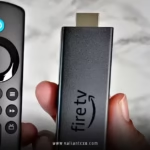
This method’s my go-to for streaming gadgets like Fire Stick (try Channel Up for navigation). It took me 10 minutes once for a finicky Roku, but the relief? Priceless. Why fight codes when the remote does the heavy lifting?
Manual Code Search: A Deeper Dive into How to Program a GE Universal Remote
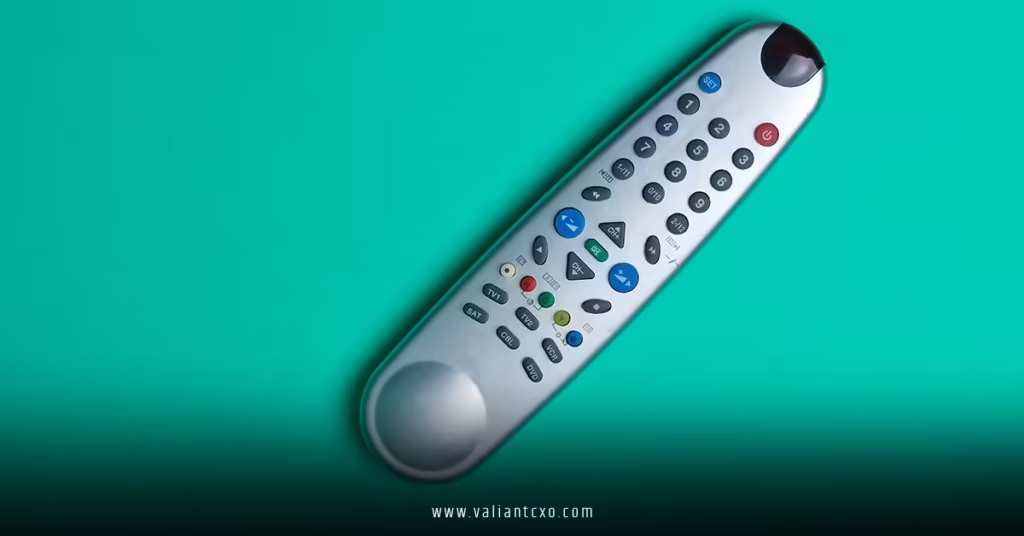
Feeling adventurous? Manual search lets you thumb through codes one by one, ideal for pinpoint control or when auto feels too hands-off. It’s like flipping radio stations till you hit gold—tedious but targeted.
- Standard Start: Device on, Setup held till LED party.
- Device Pick: Button press, light steady.
- Manual Mode Trigger: Press Channel Up (or 9 for some models) repeatedly. Each press tries a code; watch for device response.
- Spot the Winner: Powers off or toggles? Halt! Press Setup again to save.
- Verify and Iterate: Full test—volume, input switch. No dice? Press Channel Down to backtrack.
Pro analogy: It’s fishing with a rod, not a net. Slower, but you catch exactly what you want. Use this for soundbars where auto skips nuances.
Tailoring It: How to Program a GE Universal Remote for Specific Devices
One-size-fits-all? Nah, devices have quirks. Let’s customize.
Mastering TVs with How to Program a GE Universal Remote
Flat-screens rule, but codes vary. For Samsung, try 2891 first—powers on like a charm. LG? 0004 often unlocks menus. Stuck? Auto search shines here; just ensure HDMI input switches post-setup. I’ve synced 4K beasts this way—no more “Why won’t it find Netflix?”
DVDs and Blu-ray: Smooth Playback Setup
Dust off that player. Codes like 55035 for Sony or 20490 for Panasonic. After programming, test Eject—crucial for midnight snacks. If skips happen, manual search for audio sync.
Streaming Devices: Roku, Fire Stick, and Beyond
Ah, the cord-cutters’ darlings. Roku codes: 10885, 20595. Fire TV? 20818 or auto with Play button. Program as AUX, then map volume to TV. Tricky part? IR vs. Bluetooth—stick to line-of-sight models. Once done, voice search feels futuristic.
Soundbars and Receivers: Audio Awesomeness
Use AUD or AUX button. Codes: Bose 31229, Yamaha 0634. Test mute during a bass drop—harmony achieved.
Troubleshooting: When How to Program a GE Universal Remote Hits a Snag
Murphy’s Law loves remotes. Light won’t glow? Dead batteries or upside-down insert. Code accepted but no power? Wrong version—recheck sticker. Device ignores inputs? Obstacles or low signal; 10-foot rule, folks.
Common fixes:
- Reset the Remote: Hold Setup + a number (varies by model) for 5 seconds. Fresh start.
- Code Conflicts: Unprogram one device, retry.
- Partial Control: Keep originals for menus; universals excel at basics.
Dug through forums once—turns out, dim rooms fool LEDs. Brighten up, problem solved. If all fails, this detailed programming guide on WikiHow has visuals.
Pro Tips to Keep Your Setup Rock-Solid After Learning How to Program a GE Universal Remote
Programming’s just step one. Label buttons with tape for grandkids. Store codes in your phone’s notes app. Update firmware if your model’s smart (rare, but check GE site). And rotate batteries yearly—prevention beats cursing.
Ever drop yours in the sink? Rice bath, then reprogram. Resilience is key.
Wrapping It Up: You’ve Got This!
There you have it—your blueprint for how to program a GE universal remote, from code hunts to troubleshooting triumphs. We’ve tackled direct entry for speed demons, auto search for the code-averse, and tweaks for every gadget in your arsenal. Remember, it’s not about perfection on try one; it’s about ditching the remote clutter for seamless vibes. Grab that GE unit, fire it up, and transform your setup today. Your future self (and sanity) will high-five you. What’s your first device to conquer? Drop a comment if you hit a wall—happy programming!
Frequently Asked Questions
1. What do I do if the code doesn’t work the first time when trying how to program a GE universal remote?
No worries—most brands have multiple codes. Try the next one from the list, or switch to auto search. It usually clicks on round two or three.
2. Can I use how to program a GE universal remote instructions for older models like the 24929?
Absolutely! Core steps are universal, but check your battery sticker for version-specific codes. Older ones lean V1; snag lists from the official site.
3. How long does it typically take to complete how to program a GE universal remote for multiple devices?
Five minutes per device if coded right—15-20 total for a full setup. Auto search adds a few, but it’s worth the wait for hassle-free control.
4. Is there a way to reprogram just one button after I’ve learned how to program a GE universal remote?
Yep! Re-enter setup mode, select the device, and input a new code. It overwrites without nuking the rest—super handy for tweaks.
5. Are there apps that help with how to program a GE universal remote?
While GE doesn’t have an official app, third-party code finders like RemoteFinder work great. Pair with our steps for a hybrid win.
Click Here:valiantcxo.com