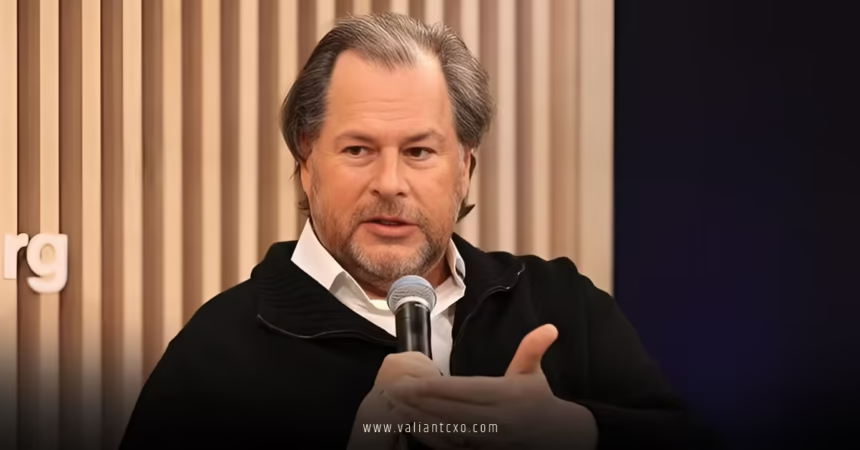
Marc Benioff AI employee monitoring Slack has become shorthand for a big, messy question: should your boss use AI to watch what you do in chat all day?
This isn’t just a Salesforce story or a gossip headline. It’s the collision of AI, workplace surveillance, productivity pressure, and employee trust—playing out inside a tool millions of people keep open all day.
Here’s the quick rundown before we unpack the details.
- Marc Benioff AI employee monitoring Slack refers to the idea of using AI and analytics on Slack messages and activity to track employee productivity, sentiment, and performance.
- Salesforce owns Slack, and Benioff has been vocal about using AI and data to understand productivity and remote work effectiveness.
- While Slack already logs metadata and offers analytics, AI monitoring raises major concerns about privacy, consent, bias, and workplace culture.
- Employers see potential gains in visibility, productivity insights, and risk management; employees worry about surveillance, misinterpretation, and psychological pressure.
- A smart approach uses AI analytics in Slack transparently, at the team/aggregate level, with clear rules and guardrails—not as a secret “spy engine” on individuals.
What People Mean By “Marc Benioff AI Employee Monitoring Slack”
Let’s get specific.
When people talk about Marc Benioff AI employee monitoring Slack, they’re usually mashing up three things:
- Salesforce’s ownership of Slack
- Benioff’s public enthusiasm for AI and data-driven productivity
- The growing use of AI to analyze workplace communication and behavior
Put simply, the phrase points to the idea that Slack—under a data-obsessed, AI-obsessed CEO—could become a very sophisticated monitoring surface for employers.
What’s actually possible in Slack right now?
Slack, on its own, already:
- Stores messages and files (with retention and export rules set by admins).
- Tracks engagement data (active users, channels, message volume).
- Allows enterprise exports and integrations with third-party tools.
Layer AI on top and you can:
- Analyze sentiment and “tone” across teams or time periods.
- Flag potential HR, legal, or security risks in messages.
- Look for patterns in responsiveness, collaboration, and participation.
- Build dashboards that correlate communication with outcomes.
None of that requires literal “mind-reading.” But it does mean your chat history can turn into a structured dataset about how you work, who you talk to, and how often.
Why Marc Benioff AI Employee Monitoring Slack Matters
Here’s the thing: this isn’t just about tech capability. It’s about power.
If you’re an employee, your Slack is where you:
- Coordinate work
- Ask “stupid” questions
- Vent (hopefully in the right channels)
- Reveal patterns about your working hours, habits, and social network at work
If you’re an employer, Marc Benioff AI employee monitoring Slack looks like:
- A deep, always-on stream of behavioral data
- A way to “see” remote teams you don’t physically manage
- A potential early-warning system for burnout, turnover risk, or compliance issues
That’s why the topic exploded into public conversation. It forces everyone to ask:
- Where’s the line between analytics and surveillance?
- Who owns the patterns extracted from work chat?
Fact Check: What We Know vs. What’s Hype
Before the internet spins off into conspiracy land, draw a clean line between facts and speculation.
Confirmable realities as of 2026:
- Salesforce owns Slack and actively integrates Slack with its broader Customer 360 and AI capabilities.
- Salesforce markets AI analytics and productivity tools, especially via Einstein AI, across its product suite.
- Workplace monitoring is already common: various surveys and coverage from major outlets like the Washington Post and the Wall Street Journal have documented employers using productivity tracking, keystroke tools, and app usage monitoring—especially post-2020 remote work.
- Slack provides enterprise admins with significant control over retention, exports, and integrations, according to Slack’s own documentation and security pages.
Speculation / Interpretation:
- Whether Marc Benioff personally wants or drives AI-based employee surveillance in Slack is mostly inference drawn from his public enthusiasm for AI and data.
- The specific phrase “Marc Benioff AI employee monitoring Slack” is not an official product name or policy; it’s a public shorthand for this growing concern.
So if you’re worried about being secretly scored by some hidden “Benioff Bot,” the reality is more nuanced—but the risk of aggressive monitoring setups absolutely exists, because companies can wire Slack into monitoring stacks if they choose to.
How AI Monitoring In Slack Actually Works Under The Hood
Strip away the buzzwords and you get a straightforward pipeline.
- Data collection
- Messages (content, metadata like timestamps, channels, participants).
- Reactions, mentions, threads, files, and join/leave events.
- Sometimes correlated with HR data (role, team, location, tenure).
- Processing & enrichment
- Natural language processing to classify messages by topic, sentiment, or risk type.
- Entity extraction (projects, clients, product names).
- Activity patterns: response times, message volume, participation in channels.
- Modeling & scoring
- Engagement or collaboration scores by team or individual.
- Risk scores for security, compliance, or harassment-related language.
- Trend analysis over time (e.g., sudden drop in participation or spike in negative sentiment).
- Surfacing insights
- Dashboards for HR, managers, security, or executives.
- Alerts on certain patterns (e.g., flagged keywords, unusual activity).
- Reports for leadership on “productivity” or “culture health.”
On paper, this sounds clean. In practice, it runs straight into messy human realities: sarcasm, cultural nuance, neurodivergent communication styles, language differences, and power imbalance.
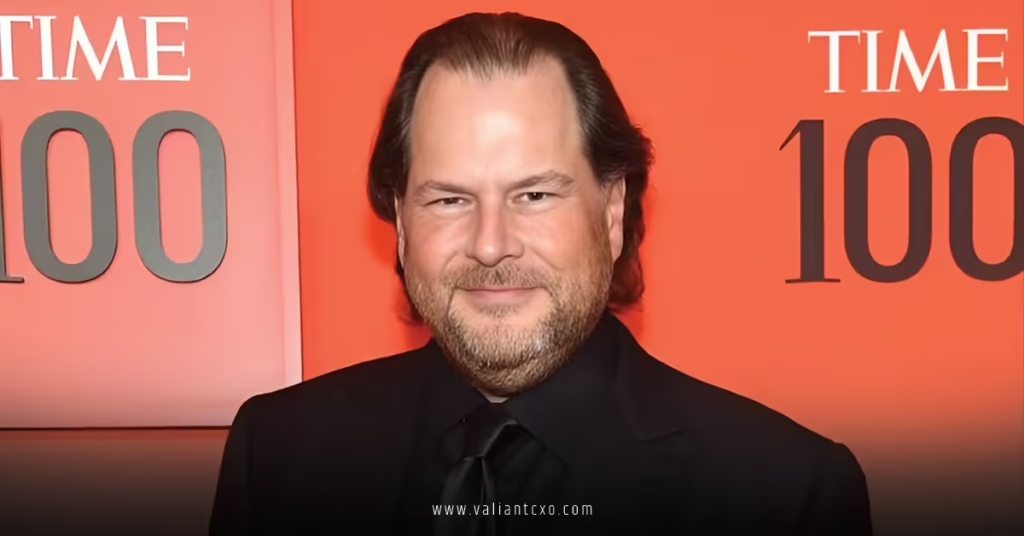
Pros And Cons: Marc Benioff AI Employee Monitoring Slack For Employers vs Employees
Here’s a structured view of why some leaders love the idea—and why many employees hate it.
| Perspective | Potential Benefits | Major Risks / Downsides |
|---|---|---|
| Employers / Leadership | – Better visibility into team collaboration and engagement – Early detection of burnout, disengagement, or toxic subcultures – Risk and compliance monitoring (security, harassment, data leaks) – Data to justify remote/hybrid policies and resource allocation | – Chilling effect on communication and psychological safety – Legal exposure if monitoring violates expectations or laws – Misuse of AI scores in performance decisions – Backlash, PR risk, and talent churn due to “surveillance culture” |
| Employees / ICs | – Potential for data-backed arguments about workload and burnout – Better visibility into how work and communication are valued – Clearer patterns about who gets looped in or left out | – Feeling watched and judged in every message – Fear of jokes, venting, or honest feedback being weaponized – Risk of biased or context-blind AI misreading tone or intent – Pressure to perform “performative busyness” instead of real work |
| HR / People Ops | – Data to support engagement and culture initiatives – Ability to spot teams at risk before attrition spikes – Audit trails for serious incidents | – Becoming the face of surveillance for employees – Managing consent, communication, and legal compliance – Temptation to over-index on metrics vs. qualitative context |
Privacy, Law, And Ethics: Where The Guardrails Are
In the US, workplace monitoring is often legal—but that doesn’t mean it’s wise.
Key points to keep in mind:
- Expectation of privacy: On employer-owned devices and accounts, employees typically have limited expectations of privacy. Many company handbooks explicitly state this.
- State-level rules: Some states (like California and others) have stronger data privacy laws that intersect with employee monitoring. The details matter, and companies need actual legal counsel—not vibes.
- Sector-specific regulations: Highly regulated industries (finance, healthcare, government) already deal with strict rules around records, data access, and communication monitoring.
If you want a baseline, the U.S. Federal Trade Commission and various state-level resources offer guidance on responsible data practices and privacy.
Ethically, here’s where things usually go off the rails:
- Secret monitoring, or burying it in fine print.
- Using AI outputs as “truth” instead of as one signal among many.
- No right to correct, review, or contextualize data about yourself.
In my experience, employees don’t revolt because analytics exist. They revolt because analytics feel weaponized, opaque, and one-sided.
How To Implement AI Analytics In Slack Without Torching Trust
If you’re a leader or HR pro thinking, “Okay, but we still want insight,” here’s how to do it without becoming the villain in your own workplace story.
1. Decide your philosophy before you pick tools
Start with a clear stance on Marc Benioff AI employee monitoring Slack:
- Are you looking at aggregate team-level patterns, or do you want individual-level tracking?
- Are you using data to support people (burnout detection, resource allocation) or to police them (activity quotas, message counts as pseudo-productivity)?
What usually happens is that companies skip this step, buy a tool, and let the vendor’s default dashboards define their culture by accident.
2. Be radically transparent
If you wouldn’t feel comfortable explaining your monitoring setup in an all-hands meeting, you’re already in risky territory.
Spell out in plain language:
- What is collected from Slack.
- What AI/analytics are run on it.
- Who can see what (individual vs aggregate).
- How it will and will not be used (e.g., not used as sole basis for performance reviews).
Put this in:
- Your employee handbook.
- Your onboarding.
- A dedicated internal FAQ.
And say it out loud. Managers need talking points too.
3. Default to aggregate, not individual
As a rule of thumb:
- Team-level sentiment trends? Reasonable.
- Org-wide engagement patterns? Reasonable.
- “Here is John’s Slack risk score and productivity index”? That’s where it starts to feel dystopian.
Use Marc Benioff AI employee monitoring Slack style analytics to steer at the macro level—where to invest, which teams need support, how communication norms are evolving. Turn it into a wide-angle lens, not a sniper scope.
4. Keep humans in the loop
AI is bad at nuance. We know this.
So:
- Don’t auto-penalize people based on AI flags alone.
- Treat Slack analytics like weather data: informative, occasionally wrong, never the whole story.
- Give HR and managers training on how to interpret metrics and when to ignore them.
The misstep most companies make is letting AI outputs quietly harden into internal “truth” without any contestability.
5. Create a right-to-know and right-to-respond
If you’re serious about fairness:
- Let employees know what types of profiles or metrics exist about them.
- Provide a channel to challenge or contextualize that data.
Think of it as an internal due-process policy for your AI.
Step-By-Step Action Plan For Beginners
If you’re just getting dragged into the Marc Benioff AI employee monitoring Slack debate and need a concrete roadmap, here’s a simple playbook.
Step 1: Audit what you’re already collecting
- Check Slack admin settings: exports, retention, and analytics.
- Document what third-party tools already plug into Slack (security, HR, productivity tools).
- List what data your legal and security teams already access from Slack.
Step 2: Define clear goals
Ask one sharp question:
If AI could magically give you one Slack insight, what would actually change your behavior?
Filter ideas through that lens:
- Real: early burnout detection, major collaboration bottlenecks, compliance risk.
- Fake busy: counting messages per person, “Top 10 busiest channels” dashboards that nobody uses.
Prioritize the former. ruthlessly cut the latter.
Step 3: Pick ethical, configurable tools
When evaluating tools that enable Marc Benioff AI employee monitoring Slack style analytics:
- Look for documented privacy features and role-based access.
- Check whether they support aggregation and anonymization.
- Ask vendors for sample policies and real-world use cases (not just sales slides).
If a tool is cagey about how its models work or how data is stored, that’s your cue to walk away.
Step 4: Write and socialize your monitoring policy
Include:
- Scope: what is and isn’t monitored.
- Purpose: why monitoring exists at all.
- Limits: who sees what, and how it’s used.
- Safeguards: regular reviews, bias checks, and sunset clauses for experiments.
Then brief:
- Senior leadership
- HR and people managers
- Security and IT
- Employees (all-hands + written documentation)
Step 5: Start small and time-box experiments
- Pilot with one or two volunteer teams.
- Set a time frame (e.g., 3–6 months).
- Define success metrics: did this improve decisions, reduce risk, or help people?
Collect feedback from both managers and ICs. If your analytics make people clam up in Slack, you’ve lost more than you gained.
Step 6: Review, adjust, or shut it down
After the pilot:
- Keep what actually drives outcomes.
- Scrap vanity metrics and creepy features.
- Update your policy to reflect reality.
The best setups are iterative, not “set and forget.”
Common Mistakes With Marc Benioff AI Employee Monitoring Slack (And How To Fix Them)
This is where most organizations stumble.
Mistake 1: Treating Slack data as “objective truth”
Slack captures how people type, not how they think or work in full. Meetings, calls, docs, and informal conversations all sit outside that feed.
Fix: Use Slack analytics as one input alongside performance reviews, project outcomes, and qualitative feedback. Never treat message counts or sentiment scores as the definitive measure of value.
Mistake 2: Turning Slack into a performance scoreboard
Some teams start ranking people by:
- Messages sent
- Response time
- Channels participated in
That’s like judging a chef by the number of Slack pings instead of the quality of the meal.
Fix: Keep individual-level metrics out of performance dashboards. Focus on health signals at a team or org level. Encourage deep work, not compulsive messaging.
Mistake 3: Secret or “soft secret” monitoring
You tell legal. You tell security. You tell execs.
You don’t really tell employees—beyond a buried sentence in a handbook nobody reads.
Fix: Over-communicate. Run Q&A sessions. Share examples of what’s monitored and what’s not. Show how you’ve configured tools to protect privacy.
Mistake 4: No sunset or review process
Monitoring setups calcify. Three years later, nobody remembers why half of it exists, but it’s still humming.
Fix: Set recurring reviews (e.g., annually) to reassess:
- Are these metrics still useful?
- Are they still aligned with culture and law?
- Should we reduce scope instead of expanding it?
Mistake 5: Ignoring bias and context
Language models and sentiment analysis can misread:
- Non-native speakers
- Direct communicators
- Cultural differences
- Neurodivergent expression
Fix: Run bias and accuracy checks. Bring in diverse reviewers from within the company. Where metrics are noisy, drop them instead of pretending they’re precise.
What I’d Do If I Were…
If I were a CTO or CIO
- Push for aggregate-only Slack AI analytics by default.
- Require a joint sign-off from Legal, HR, and an employee council before enabling any individual-level monitoring.
- Demand vendor transparency on data handling and model behavior.
If I were in HR / People Ops
- Partner with legal early and co-own the monitoring policy.
- Use Marc Benioff AI employee monitoring Slack style tooling to identify overworked teams, not “lazy” individuals.
- Build communication and training around psychological safety in Slack, so people know how to use it without fear.
If I were an individual contributor
- Assume work Slack is work-owned and potentially reviewable—because it usually is.
- Keep real venting and sensitive conversations in appropriate, non-work channels.
- Ask your employer directly what monitoring exists; you have every right to understand.
Key Takeaways
- Marc Benioff AI employee monitoring Slack is shorthand for using AI and analytics on Slack data to track productivity, sentiment, and risk—especially under Salesforce’s AI-heavy leadership.
- Slack already generates rich data; AI simply turns that into structured insight, which can be used ethically or in ways that feel invasive and punitive.
- The legal baseline often allows monitoring, but trust and culture are what really determine whether this becomes a strategic advantage or a slow-burn crisis.
- The smartest setups use aggregate-level insights, clear policies, and human judgment—not individual “spy scores” or secret dashboards.
- Transparency, consent, and guardrails matter more than any particular AI feature. Hidden monitoring almost always backfires.
- Employees should treat work Slack as observable, but they can still advocate for fair, limited-use analytics with clear rules.
- Leaders who get this right will use AI to support teams, spot burnout, and improve collaboration—not to squeeze message counts out of already overloaded people.
Done well, AI in Slack can act like a dashboard on the health of your organization. Done poorly, it’s a searchlight in people’s faces. The difference isn’t the tech. It’s the intent, the policy, and the courage to be honest about what you’re really doing with that data.
FAQs About Marc Benioff AI Employee Monitoring Slack
1. Is Marc Benioff AI employee monitoring Slack an official Salesforce feature?
No. Marc Benioff AI employee monitoring Slack is not an official product name. It’s a way people talk about the possibility of employers using AI and analytics on Slack—owned by Salesforce and championed by an AI-enthusiast CEO—to monitor employees, either through built-in analytics or integrated third-party tools.
2. Can my company legally monitor my Slack messages using AI?
In many parts of the USA, employers can monitor communications on company-managed systems, including Slack, especially if they’ve disclosed this in policies or handbooks. Whether they should is a separate question. If you’re concerned, ask HR directly how your organization is using Slack data and whether any AI monitoring is in place.
3. How can we use Marc Benioff AI employee monitoring Slack style analytics without hurting culture?
Use Slack analytics at the aggregate level, be upfront about what’s monitored, keep humans in the loop, and never use AI scores as the sole basis for performance decisions. The healthiest approach treats AI as a tool for understanding team-level patterns and risk—not as a surveillance system for every individual keystroke.