nintendo switch oled vs regular which should i buy is the question almost everyone asks once they’ve decided to enter the Nintendo ecosystem. You know you want Mario, Zelda, Smash… but which version of the console should you actually spend money on—and is the OLED really worth the extra cash?
Here’s the short version, right up front.
- If you’ll play mostly in handheld mode → The Switch OLED is almost always worth it for the bigger, sharper, richer screen.
- If you’re mostly docked to a TV → The regular Switch (or Switch V2) is usually enough; the OLED’s upgrades matter less.
- If you’re on a tight budget → Grab the regular Switch, especially during sales or bundles.
- If you care about build quality & comfort → The OLED model wins with its sturdier kickstand, better speakers, and more premium feel.
- For kids or casual use → Either works, but the cheaper regular Switch is often the more practical choice.
Let’s break it down so you can buy once, not twice.
Quick Specs Snapshot: What Actually Changes?
Before arguing about “worth it,” it helps to know what’s actually different.
Core similarities
Both the Nintendo Switch OLED and the regular Nintendo Switch:
- Play the exact same games (including all current and upcoming first‑party titles).
- Offer docked (to a TV) and handheld modes.
- Support local multiplayer, online play, and the same controllers/accessories.
- Use the same NVIDIA Tegra-based chipset and have very similar performance in real gameplay.
So you’re not choosing power. You’re choosing experience.
Key differences at a glance
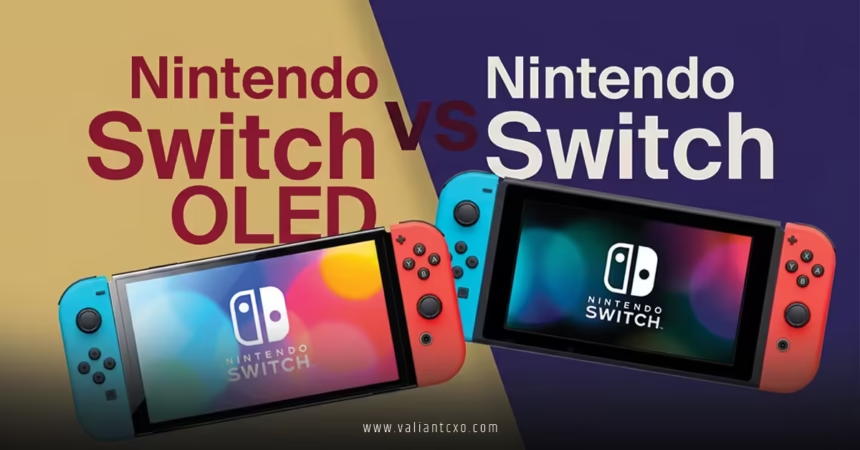
Here’s your answer-ready comparison of nintendo switch oled vs regular which should i buy in a simple table.
| Feature | Nintendo Switch OLED | Regular Nintendo Switch (V2) |
|---|---|---|
| Screen Size & Type | 7.0″ OLED display (richer colors, deeper blacks) | 6.2″ LCD display |
| Resolution | 720p handheld, up to 1080p docked | 720p handheld, up to 1080p docked |
| Storage | 64 GB internal | 32 GB internal |
| Kickstand | Wide, adjustable, very stable | Thin, flimsy single-position kickstand |
| Audio | Enhanced speakers in handheld mode | Standard speakers |
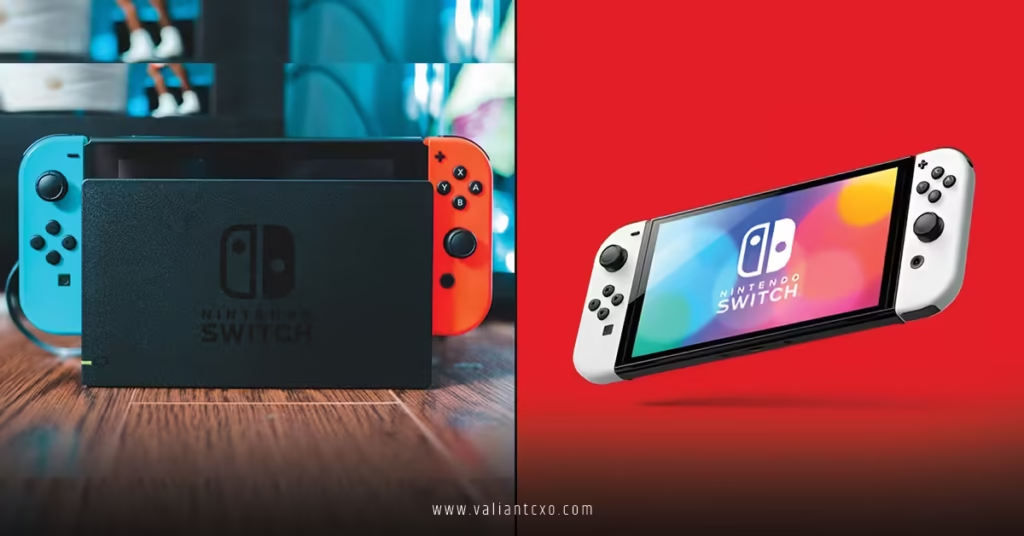
| Dock | New dock with built-in wired LAN port | Original dock, no built-in LAN (needs adapter) |
| Battery Life (typical) | ~4.5–9 hours (comparable to V2) | ~4.5–9 hours (V2 model, according to Nintendo) |
| Build Quality | More premium feel, sturdier design | Good, but less refined |
| MSRP (USA, before sales) | Typically around $349.99 | Typically around $299.99 |
| Best For | Handheld-heavy players, frequent travelers, people who value visuals | Docked/TV-focused players, budget-conscious buyers, families |
Official specs and battery ranges are documented on the main Nintendo Switch hardware comparison page from Nintendo of America and are the best baseline to check for any subtle updates or revisions over time.
nintendo switch oled vs regular which should i buy: The Fast Answer by Use Case
Different players, different needs. Here’s how this decision usually shakes out in real life.
If you mainly play on the TV
If your Switch will live in the dock 80–90% of the time, the OLED’s main advantage—its gorgeous 7-inch screen—doesn’t matter much.
What actually affects you on the couch:
- Same resolution on TV (up to 1080p).
- Same performance.
- Same Joy-Cons, same games.
In my experience, TV-first players rarely feel the OLED upgrade once the console is docked. For this group:
- Recommendation:
- Go regular Switch and put the savings into an extra controller, a microSD card, or a game like Mario Kart 8 Deluxe or Super Smash Bros. Ultimate.
If you mainly play handheld or tabletop
This is where the OLED absolutely earns its keep.
You get:
- A bigger screen with thinner bezels.
- OLED panel: better contrast, deeper blacks, richer color.
- A wide, stable kickstand that actually works for tabletop play.
- Better built-in speakers, so you don’t always need headphones.
What usually happens is: people who commute, travel, or share TVs at home end up playing handheld far more than they expected. For them, the OLED upgrades are not “nice-to-have”—they’re used daily.
- Recommendation:
- If handheld or tabletop will be a regular thing, go Nintendo Switch OLED. You’ll notice the difference every single session.
If you’re buying for a kid or a family
Now we’re talking practicality.
Key questions:
- Will kids mostly play on the TV in a shared space?
- Are you expecting drops, scratches, and “oops, I stepped on it”?
For younger kids or rougher environments, the cheaper regular Switch is often the safer play. You can put the price difference toward:
- A sturdy case.
- A screen protector.
- Extra controllers for family multiplayer.
If you’ve got older kids or teens who like handheld play in their room or on trips, the OLED can be a solid “main family console” upgrade. But strictly from a wallet + durability angle:
- Recommendation:
- Regular Switch if budget and occasional accidents are concerns.
- OLED if you’re okay investing a bit more and protecting it with a good case and screen protector.
Price, Value, and How to Decide in 30 Seconds
Let’s talk money.
As of 2026 in the USA, here’s the general pattern (exact prices shift with sales):
- OLED: Around $349.99 MSRP.
- Regular Switch (V2): Around $299.99 MSRP.
- Sales, bundles, and used/refurb units can move those numbers down.
Think of the OLED’s ~$50 price bump like this: you’re basically buying a significantly better screen plus quality-of-life improvements (kickstand, storage, speakers, dock).
Ask yourself 3 questions:
- Will I use handheld mode at least a few hours each week?
- Is an extra $50–$70 going to hurt my budget long-term?
- Would I regret having the “lesser” screen if I stick with this console for 4–5 years?
If you answer “yes” to #1 and #3, and “no” to #2, the OLED usually wins.
Deeper Dive: Screen, Comfort, and Everyday Experience
Specs are one thing. Living with the hardware is another.
Screen: The upgrade you actually see
The OLED doesn’t change resolution. Still 720p in handheld. But the jump to OLED is obvious when you fire up games with strong art direction like:
- The Legend of Zelda: Tears of the Kingdom
- Metroid Dread
- Splatoon 3
- Super Mario Odyssey
Colors pop. Blacks are inky, not gray. In bright scenes and dark dungeons alike, the picture just feels more “expensive.”
It’s like the difference between basic airline economy lighting and that cool ambient lighting on a modern jet—same space, totally different vibe.
Build quality and ergonomics
In hand, the Switch OLED feels more premium:
- The wide kickstand is a huge step up from the flimsy strip on the regular model.
- The bigger screen with smaller bezels makes the console look and feel more modern.
- The improved speakers mean handheld sessions don’t sound as thin or tinny.
Is it night and day? Not quite. But playing side by side, it’s hard to go back to the regular screen once your eyes adjust to OLED.
Online Play, Storage, and Accessories: Things People Forget
Online and networking
Both versions support Nintendo Switch Online services, including online multiplayer and classic games. The OLED’s dock has one major perk:
- Built-in wired LAN port for more stable online play without buying a separate adapter.
If you play competitive matches in games like Splatoon 3 or Super Smash Bros. Ultimate, a wired connection can be a big reliability boost. Nintendo discusses the benefits of wired LAN for online stability on their support pages and in their online play guidance.
Storage
- OLED: 64 GB internal.
- Regular: 32 GB internal.
Digital games and updates add up fast. In reality, most people end up buying a microSD card either way. Still, that extra 32 GB on the OLED means you’re not forced to expand as quickly.
Joy-Con drift and controllers
Both models use the same Joy-Cons. That means:
- Same potential for Joy-Con drift over time (where the analog stick registers movement even when you’re not touching it).
- Same compatibility with Pro Controllers, third-party pads, and accessories.
Nintendo has acknowledged Joy-Con drift issues in public communications and offers repair options, but you should still treat controllers as consumables over a long enough timeline.
Step-by-Step Action Plan for Beginners
If you’re brand new to Nintendo and trying to make a smart purchase, here’s a simple action plan for nintendo switch oled vs regular which should i buy.
1. Decide how you’ll play most of the time
Write it down:
- “Mostly handheld”
- “Mostly TV”
- “50/50 split”
Be honest. If your TV is always occupied or you travel a lot, assume more handheld than you initially think.
2. Set a realistic total budget
Don’t forget the extras. Beyond the console, you’ll likely want:
- 1–2 games at minimum.
- A microSD card (especially if you like digital downloads).
- A case for protection.
- Maybe a Pro Controller for longer TV sessions.
Rough baseline:
- Console + one major first-party game + basic microSD + case can easily land in the $380–$450 range depending on model and sales.
3. Choose your model
Use this quick rule:
- If your budget can stretch and you’ll use handheld regularly → Buy the OLED.
- If you’re tight on cash or mostly play on TV → Buy the regular Switch.
4. Pick 1–3 starter games
To actually enjoy your new console, you need games that match how you play:
- For families and parties: Mario Kart 8 Deluxe, Super Smash Bros. Ultimate, Super Mario Party Superstars.
- For solo adventure fans: The Legend of Zelda: Tears of the Kingdom, Breath of the Wild, Metroid Dread.
- For casual/cozy players: Animal Crossing: New Horizons, Stardew Valley, Kirby and the Forgotten Land.
Nintendo’s official game guides and featured lists are a good place to gauge what fits your taste if you’re unsure.
5. Protect your investment
Day one, do this:
- Apply a screen protector (especially on the OLED’s beautiful panel).
- Put it in a protective case when traveling.
- Set up parental controls if kids are involved (Nintendo offers a free parental control app and clear instructions).
Common Mistakes & How to Fix Them
Even experienced buyers trip over the same issues. Here’s what to watch for with nintendo switch oled vs regular which should i buy.
Mistake 1: Choosing purely on price and ignoring play style
Buying the regular Switch just to save $50 when you’re a heavy handheld player is the classic regret.
Fix: Re-check your use case. If you’ll use handheld a lot and can afford it, exchange or sell the regular and move to OLED while it’s still relatively new to you.
Mistake 2: Assuming the OLED is “more powerful”
Some buyers think OLED equals faster performance or better graphics output on TV. It doesn’t.
Fix: Set expectations correctly. Both models run games essentially the same. If you want better TV graphics, focus on:
- A better TV.
- Calibrated settings.
- Good seating distance.
Mistake 3: Forgetting about storage
People often fill the internal storage with a handful of big digital titles and hit the limit.
Fix: Budget for a microSD card from day one. Aim for at least 128 GB if you plan to download digital titles regularly.
Mistake 4: Ignoring online play needs
Playing online via Wi‑Fi far from the router can be frustrating.
Fix:
- With the OLED dock, use the built-in LAN port for wired play when possible.
- With the regular Switch, consider an official USB LAN adapter from Nintendo or a compatible brand.
Nintendo’s support documentation outlines how to set up a wired LAN connection and why it can improve stability for certain games.
Mistake 5: Not protecting the screen (especially on OLED)
The OLED screen looks fantastic but is also something you do not want scratched by careless docking or travel.
Fix: Add a tempered glass screen protector and use a gentle touch when inserting/removing from the dock.
nintendo switch oled vs regular which should i buy: Scenario-Based Recommendations
Let’s map this to real people.
Scenario 1: The commuter or frequent traveler
You’ll play on the train, plane, or in hotel rooms. Handheld is 90% of your use.
- Pick: Nintendo Switch OLED.
- Why: You’ll see that OLED screen constantly. The premium feel and better speakers make every trip more enjoyable.
Scenario 2: The living room TV gamer
The Switch lives next to a PS5, Xbox, or streaming box. You mostly sit on the couch and game on a big screen.
- Pick: Regular Switch.
- Why: On the TV, image quality is nearly identical. Put the difference toward a Pro Controller or games.
Scenario 3: The family with multiple kids
Multiple kids, shared console, heavy multiplayer, potential drops.
- Pick: Regular Switch (often the best balance).
- Why: Lower upfront cost and less stress if it takes a few hits. Consider adding Joy-Cons or controllers for multiplayer.
Scenario 4: The long-term Nintendo fan
You plan to use the console for years, play major exclusives, and you care about the experience more than squeezing every dollar.
- Pick: Nintendo Switch OLED.
- Why: Over 3–5 years, the extra cost becomes tiny compared with how often you enjoy the better screen and nicer hardware.
Key Takeaways
- Handheld-focused players should lean hard toward the OLED. The better screen, speakers, and kickstand noticeably improve everyday use.
- TV-first players can safely buy the regular Switch and spend the savings on games, controllers, or accessories.
- The OLED isn’t more powerful—it’s more premium. Performance is essentially the same; the difference is in display and hardware quality.
- Budget still matters. If the price gap forces you to sacrifice games or storage, the regular Switch often makes more sense.
- Think long term. You’re likely keeping this console for years; choosing the right model now avoids upgrade regret.
- Protect whichever you buy. A case, screen protector, and maybe a wired connection for online are simple upgrades that pay off.
- Use your actual lifestyle as the deciding factor. Not marketing, not hype. Where and how you play should drive your choice for nintendo switch oled vs regular which should i buy.
When all is said and done, the best Switch is the one that fits your real life, not your idealized “someday” use case. Be honest about how you’ll play, pick accordingly, and you’ll be happy every time you hit that power button.
FAQs
Is the Nintendo Switch OLED worth it over the regular if I mostly play docked?
If you play almost entirely on a TV, the difference between the two models is much smaller. For nintendo switch oled vs regular which should i buy in this case, the regular Switch usually wins because TV image quality and performance are nearly the same, and you can put the savings toward games or a Pro Controller.
Will I miss the OLED screen if I start with the regular Switch?
Some people do, especially if they end up using handheld mode more than expected. If you’re unsure about nintendo switch oled vs regular which should i buy and think handheld might become a big part of your routine, it’s often smarter to stretch for the OLED upfront than to upgrade later.
Which is better for kids: nintendo switch oled vs regular which should i buy?
For most kids and families, the regular Switch is the more practical choice because it’s cheaper and still plays all the same games. If you’ve got older kids who will play a lot in handheld mode and you’re comfortable investing a bit more (and using a case and screen protector), the OLED can be a great “family premium” console.