Best Bloomberg Terminal functions for stock analysis deliver the real-time edge that turns raw data into actionable decisions. Whether you’re just starting out or sharpening your skills, these tools cut through the noise of market chatter and give you fundamentals, valuations, peer comparisons, and forward-looking estimates in seconds.
Here’s why it matters in 2026: markets move faster than ever, with AI-driven news and shifting macro forces. Mastering a handful of functions helps beginners avoid paralysis by analysis and lets intermediates spot opportunities others miss.
- Instant overviews and deep dives: Load a ticker and jump straight into company descriptions, financials, and charts.
- Screening power: Filter thousands of stocks by custom criteria for idea generation.
- Relative insights: Compare performance, valuations, and estimates against peers instantly.
- Forward-looking edge: Earnings projections and analyst consensus keep you ahead of earnings surprises.
- Practical workflow: Combine these for efficient research without jumping between platforms.
Why Bloomberg Terminal Still Dominates Stock Analysis
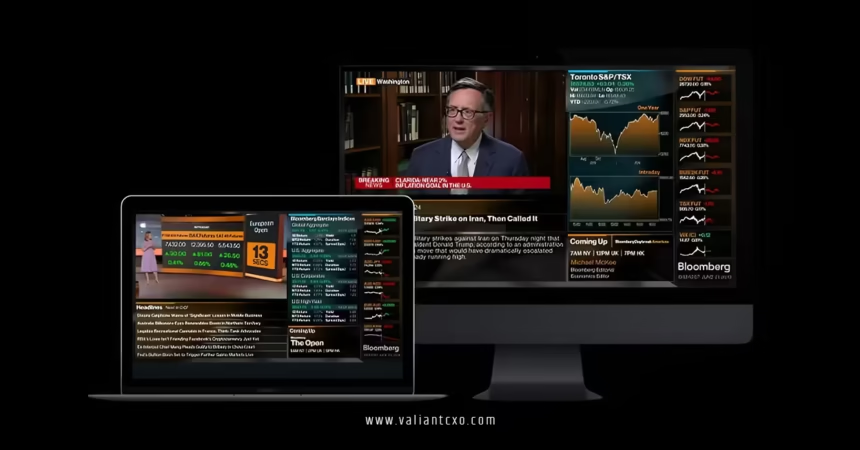
The Terminal isn’t just expensive software—it’s a command center. Real-time data, news, analytics, and messaging converge in one place. For stock analysis, it shines in equities coverage, offering everything from historical prices to sophisticated screening.
In my experience, what usually happens is beginners drown in tabs and spreadsheets. Pros load one ticker and chain functions seamlessly. The kicker? Once you know the top commands, your research time drops dramatically.
Best Bloomberg Terminal functions for stock analysis focus on speed and depth. Type a ticker like AAPL US Equity, then the function code, hit , and you’re in.
Core Functions Every Stock Analyst Needs
Start here. These form the backbone for any serious equity deep dive.
DES: Your Quick Company Snapshot
DES gives the essential overview—business description, key ratios, market cap, and more. It’s the first stop after loading a security. Page through for ownership details, key executives, and recent developments.
Short and sweet: It answers “What does this company actually do?” in under 30 seconds.
FA: Financial Analysis Done Right
FA pulls comprehensive statements—income, balance sheet, cash flow—with historicals and estimates. Customize views, drill into ratios, or export for modeling.
What I’d do if analyzing a new name? Load FA first, scan trends in revenue growth and margins, then cross-check with peers. It beats hunting through 10-Ks manually.
GP and GIP: Charting That Tells Stories
GP plots historical prices with volume and technical overlays. GIP adds intraday granularity. Add moving averages, RSI, or compare multiple tickers.
Visuals hit different. One glance at a GP chart during earnings season reveals support levels or breakout patterns that numbers alone hide.
Idea Generation and Screening Tools
Finding stocks beats waiting for ideas to appear.
EQS: The Equity Screener Powerhouse
EQS lets you filter by fundamentals, valuation metrics, growth rates, or technicals. Save custom screens for daily scans.
Beginners, start simple: large-cap tech with ROE above 15% and forward P/E under 25. Iterate from there. It’s how pros build watchlists fast.
RV: Relative Valuation Mastery
RV benchmarks a stock against industry peers using multiples like EV/EBITDA, P/E, or PEG. Customize metrics and see heat maps or rankings.
The analogy? RV is like checking comps before buying a house—you instantly see if something’s overpriced or a steal. Use it after FA to validate your thesis.
Forward Estimates and Consensus Views
Markets price the future. Get ahead with these.
EE: Earnings and Estimates
EE aggregates broker forecasts, surprise history, and revisions. Track how actuals beat or miss trends over time.
Rhetorical question: Ever bought a stock only to get crushed by a whisper number miss? EE helps you spot revision momentum early.
ANR: Analyst Recommendations
ANR shows consensus ratings, price targets, and changes. Filter by broker quality or time frame.
Pair it with BI (Bloomberg Intelligence) for deeper sector outlooks from their research team.
Step-by-Step Action Plan for Beginners
Ready to dive in? Follow this workflow for any stock.
- Load the ticker: AAPL US Equity .
- Run DES for the big picture.
- Jump to FA—review key financials and ratios for the last 5 years.
- Chart it with GP. Add a peer like MSFT for comparison.
- Screen broader ideas with EQS using your criteria from FA.
- Check valuation in RV against the sector.
- Finish with EE and ANR for the forward view.
- Set alerts for news or price moves.
What usually happens? You spot inconsistencies—like strong fundamentals but weak analyst sentiment—and dig deeper. Practice on 3-5 names weekly. In my experience, muscle memory builds fast.
Best Bloomberg Terminal functions for stock analysis shine brightest when chained together like this.
| Function | Primary Use | Best For | Time to Insight |
|---|---|---|---|
| DES | Company overview | Quick context | 30 seconds |
| FA | Financial statements & ratios | Deep fundamentals | 2-5 minutes |
| GP/GIP | Price charts & technicals | Visual trends | 1 minute |
| EQS | Stock screening | Idea generation | 5-10 minutes |
| RV | Peer comparisons | Valuation checks | 2 minutes |
| EE | Earnings estimates | Forward outlook | 1-2 minutes |
| ANR | Analyst consensus | Sentiment gauge | 1 minute |
This table highlights efficiency—core to professional workflows.
Common Mistakes & How to Fix Them
Beginners overload on data. They run every function without a thesis and get lost. Fix: Always start with a question—”Is this growth sustainable?”—then use only relevant tools.
Another trap? Ignoring data freshness. Cross-check dates in FA against recent filings. Bloomberg excels at real-time, but estimates shift fast.
Forgetting peers kills context. Never analyze in isolation—RV exists for a reason.
Over-relying on consensus? ANR shows ratings, but your edge comes from independent FA work. Question the crowd.
Finally, poor navigation. Memorize core shortcuts. Hit liberally when stuck.
Advanced Tips from the Trenches
Integrate news via CN or set custom alerts. Use PORT for portfolio-level risk if scaling up. For quant leanings, explore BQuant for custom models.
In 2026, layer in Bloomberg Intelligence primers for sector macro overlays. The real pros combine Terminal data with external context—like regulatory filings or earnings calls.
Key Takeaways
- Best Bloomberg Terminal functions for stock analysis start with DES and FA for foundations.
- EQS and RV turn data into ideas and context.
- Always validate with EE and charts for a complete picture.
- Chain functions in a repeatable workflow to save hours.
- Avoid isolation—peer analysis and forward estimates are non-negotiable.
- Practice consistently; the interface rewards familiarity.
- Cost is high (around $25,000–$32,000 per year), but the integrated edge justifies it for serious users.
- Combine with your own judgment—no tool replaces critical thinking.
Master these, and stock analysis stops feeling like guesswork. You gain clarity where others see chaos.
Next step? Fire up a demo or university access if available, load your first ticker today, and run through the action plan. Momentum builds with the first few runs.
FAQs
What are the absolute best Bloomberg Terminal functions for stock analysis for beginners?
Focus on DES, FA, GP, RV, and EE. They cover overview, fundamentals, visuals, peers, and estimates without overwhelming complexity.
How do best Bloomberg Terminal functions for stock analysis compare to free tools?
Free alternatives lack real-time integration, depth in estimates, and seamless screening. Bloomberg’s edge is speed and verified data across one platform.
Can intermediates customize best Bloomberg Terminal functions for stock analysis workflows?
Absolutely. Save custom EQS screens, build RV templates with preferred multiples, and set alerts—tailor everything to your strategy for faster, repeatable analysis.