3D printer troubleshooting bed adhesion issues hits every hobbyist and maker at some point. Prints lift at the corners, warp like crazy, or slide right off the plate mid-job. Frustrating as hell, especially after hours of slicing and waiting.
3D printer troubleshooting bed adhesion issues boils down to getting that first layer to grip without drama. Poor adhesion wastes filament, time, and sanity. For beginners and intermediates in the USA, where garage setups and Ender-style machines dominate, fixing it means reliable prints on PLA, PETG, and beyond. Nail this, and your success rate skyrockets.
Quick Overview: Why Bed Adhesion Fails and Why It Matters
- Bed adhesion is the first layer’s grip on the build plate—too weak and parts detach; too strong and removal damages everything.
- Common triggers include dirty surfaces, bad leveling, wrong temperatures, or filament moisture sucking performance dry.
- It matters because failed adhesion ruins prints early, leading to wasted material and inconsistent results across materials like standard PLA or engineering filaments.
- In 2026, with faster printers and advanced surfaces like textured PEI, most issues trace back to basics anyone can fix in under an hour.
- Master it and you shift from constant troubleshooting to confident production runs.
Here’s the thing: most adhesion headaches aren’t mysterious. They stem from a handful of preventable factors. Let’s break it down practically—what I’ve seen work in real shops and home setups.
Root Causes of 3D Printer Troubleshooting Bed Adhesion Issues
Uneven beds top the list. One corner too high, another low, and filament squishes unevenly or floats. Nozzle height (Z-offset) follows close—too far and it won’t stick; too close and it smears or drags.
Dirty plates kill adhesion fast. Finger oils, old residue, or dust create a slick barrier. Temperature mismatches don’t help: cold beds with hot filament lead to instant shrinkage and lift. Drafts in your print area or moist filament amplify everything.
What usually happens is a combo. You tweak one thing, ignore another, and the print still fails at layer 5.
Pro tip from experience: Always start troubleshooting with cleaning and leveling before touching slicer settings. Saves hours.
Step-by-Step Action Plan for Beginners
Fix 3D printer troubleshooting bed adhesion issues systematically. Don’t skip steps.
- Deep clean the bed. Remove the plate. Wash with warm water and dish soap (Dawn works great—avoid lotions). Rinse thoroughly, dry with a clean cloth or paper towels. Wipe with 90%+ isopropyl alcohol. Never touch the surface with bare hands afterward.
- Level the bed properly. Heat the bed to printing temp first (60°C for PLA). Use your printer’s leveling routine or manual paper test (feels like slight drag). Check all corners and center. Re-check after heating.
- Dial in Z-offset. Print a single-layer test square. Adjust live Z until lines squish nicely together—no gaps, no ridges. Aim for a smooth, matte first layer that sticks when gently poked.
- Set temperatures right. Bed: 50-65°C for PLA, 70-90°C for PETG. Nozzle per filament specs. Slow first layer speed to 20-30mm/s.
- Add help if needed. Thin layer of glue stick or specialist adhesive for tricky prints. Brims or rafts for larger parts.
Follow this and most prints stick from the start. Test with a simple calibration cube or Benchy.
Build Surfaces and Adhesives: What Actually Works
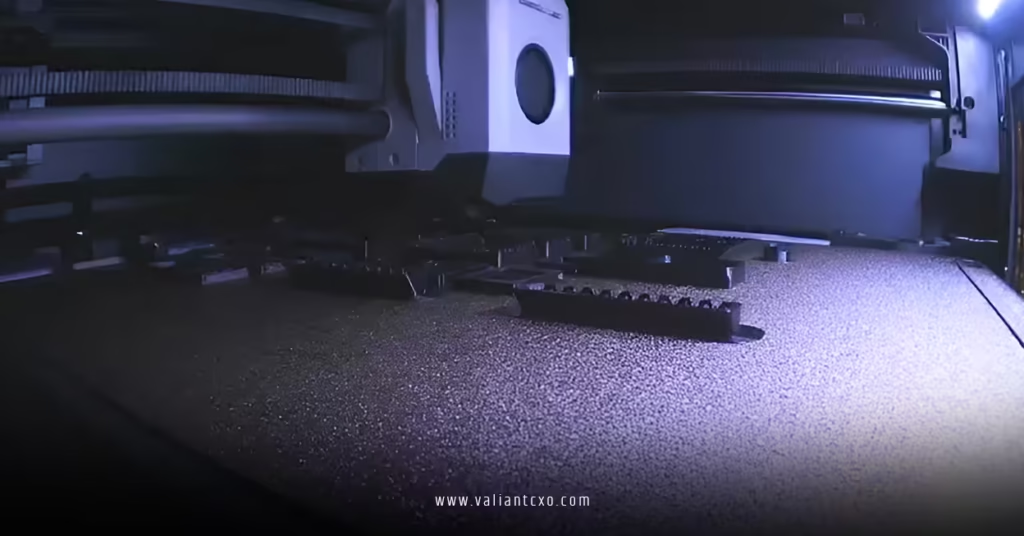
Different plates shine with different filaments. Textured PEI grips PLA and PETG exceptionally well when clean. Smooth PEI or glass needs more adhesive aid but releases easier.
| Build Surface | Best For | Adhesion Boosters | Pros | Cons |
|---|---|---|---|---|
| Textured PEI | PLA, PETG, most basics | Clean only, occasional IPA | Excellent natural grip, durable | Can wear over time, harder to clean deeply |
| Smooth Glass | PLA, detailed prints | Glue stick, hairspray | Easy release, flat prints | Needs adhesives often, heavier |
| Flexible Magnetic | Versatile | Glue or none | Removable for easy part removal | Can warp if low quality |
| Garolite/Engineering | Nylon, high-temp | Dry, specific temps | Great for exotics | Expensive, material-specific |
In my experience, a good PEI sheet handles 80% of jobs. For stubborn cases, a light glue stick layer changes everything without residue nightmares.
Common Mistakes & How to Fix Them
Rushing first layer speed. Fast extrusion on a cold plate spells disaster—slow it down.
Ignoring drafts. Open windows or AC vents cause uneven cooling and lift. Enclose or block airflow.
Overusing adhesives. Too much glue builds up and reduces grip over time. Clean thoroughly between heavy uses.
Wrong filament storage. Moist PLA prints poorly and sticks badly. Dry it at 45-50°C for a few hours.
Forgetting re-level after plate swaps or nozzle changes. What I’d do: Always run a quick first-layer test after hardware tweaks.
Another big one—printing too close on fresh PEI. It can actually reduce adhesion by squishing too hard. Back off slightly and test.
Advanced Tweaks for Persistent 3D Printer Troubleshooting Bed Adhesion Issues
Once basics click, experiment. Increase initial layer height slightly (0.28mm instead of 0.2mm). Use 100-110% first layer flow for better squish. For large prints, add mouse ears or full brims.
Check your slicer: Enable “initial layer” specific settings in Cura, PrusaSlicer, or Bambu Studio.
Rhetorical question: Ever wonder why your neighbor’s prints always stick while yours warp? Nine times out of ten, it’s maintenance and calibration, not magic hardware.
One fresh analogy: Think of bed adhesion like fresh tires on wet pavement. Clean surface + right pressure + proper “temperature” equals grip. Skimp on any and you hydroplane into failure.
For more on choosing build plates, see this guide from All3DP on build surfaces.
Prusa users should check their official first layer calibration for model-specific advice.
And for filament drying best practices, MatterHackers resources offer solid, no-nonsense info.
Key Takeaways
- Clean your bed religiously—oils are silent killers.
- Level and Z-offset at operating temperatures every time.
- Slow first layers and right temps prevent most lift.
- Match surface and filament; adhesives are tools, not crutches.
- Dry filament and control environment for consistency.
- Test small before big prints.
- Revisit basics before blaming hardware.
- Patience with calibration pays off in reliable results.
Nail 3D printer troubleshooting bed adhesion issues and your prints transform from fragile failures to solid successes. Start with cleaning and leveling today. Grab a fresh IPA bottle, run a test print, and watch the difference. Your next big project will thank you.
FAQs
What are the most common signs of 3D printer troubleshooting bed adhesion issues?
Look for corners lifting early, the print shifting during the job, or a first layer that looks stringy and detached. Warping follows fast if ignored.
How often should I clean my build plate to avoid bed adhesion problems?
Wipe with IPA before every print. Deep clean with soap and water weekly or when grip drops noticeably. Consistent maintenance beats reactive fixes.
Can changing filament type require different approaches in 3D printer troubleshooting bed adhesion issues?
Absolutely. PLA loves 60°C beds and PEI. PETG needs hotter beds and often glue. Always check specs and test small—moisture affects every material differently.