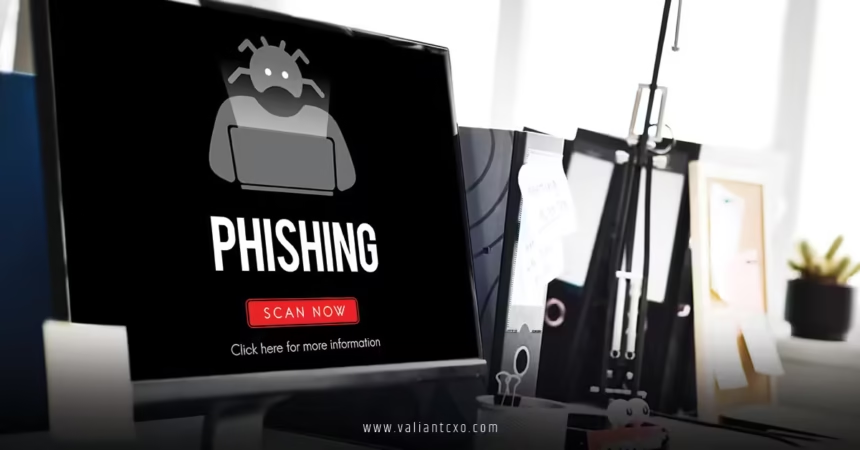
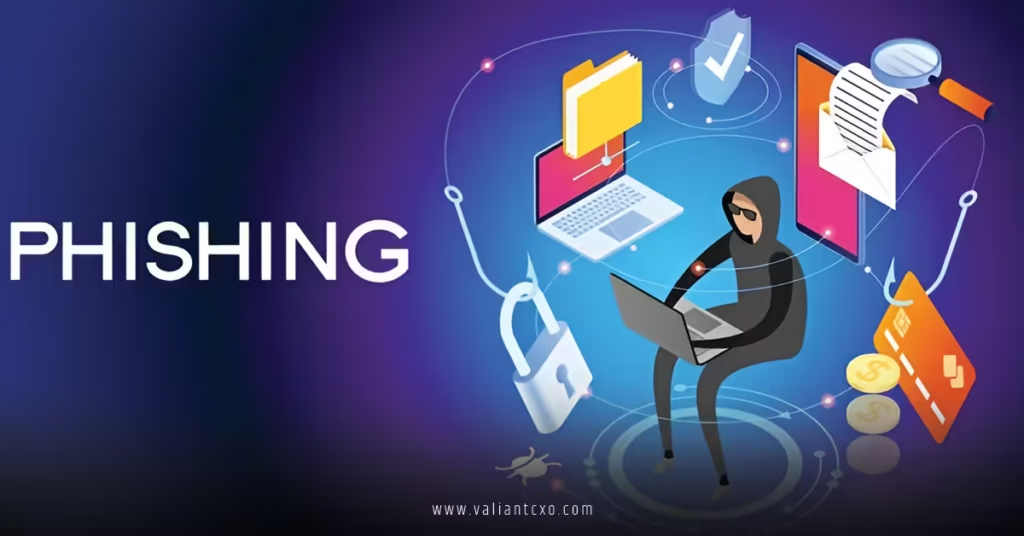
What is phishing attack explained in simple words? It’s when cybercriminals pretend to be someone you trust—like your bank, a friend, or a popular company—to trick you into handing over sensitive information such as passwords, credit card numbers, or personal details. Think of it as digital fishing: they cast a baited hook (a fake message or website) and wait for you to bite.
Phishing is one of the oldest and most common cyber threats, yet it still works because it exploits human curiosity, fear, or greed rather than complex technology. In this guide, we’ll break down everything you need to know about what a phishing attack is, explained in simple words, so you can spot it, avoid it, and stay safe online.
What Is Phishing Attack Explained in Simple Words: The Core Definition
At its heart, a phishing attack is fraud. Scammers create fake communications that look legitimate to steal your data or money. They don’t hack your computer with fancy code; they hack your trust.
Imagine getting a text from “your bank” saying your account is locked and you must click a link to fix it. That link takes you to a fake website that looks exactly like your bank’s site. You enter your login details—and boom, the scammers now have them. That’s phishing in action.
Why Phishing Works So Well
People often ask: if phishing is so simple, why do millions fall for it every year? The answer is psychology.
Scammers use urgency (“Your account will be closed in 24 hours!”), fear (“We’ve detected suspicious activity”), or excitement (“You’ve won a prize!”) to make you act without thinking. When emotions run high, critical thinking drops. That’s why even tech-savvy people sometimes get caught.
Common Types of Phishing Attacks
Not all phishing looks the same. Here are the most frequent types you should know:
1. Email Phishing
The classic form. You receive an email that appears to come from a trusted source—PayPal, Amazon, Microsoft, etc.—asking you to update information or verify your account.
2. Spear Phishing
More targeted. The attacker researches you (often using social media) and crafts a personalized message. It might mention your job, recent purchase, or mutual contact to seem authentic.
3. Smishing (SMS Phishing)
Phishing via text message. You get an urgent text with a link, often claiming to be from your bank, delivery service, or even government agency.
4. Vishing (Voice Phishing)
Phone call scams. Someone pretending to be from tech support, the IRS, or your bank calls and pressures you for information.
5. Clone Phishing
A scammer copies a legitimate email you’ve already received, changes a link or attachment, and resends it from a similar-looking email address.
6. Search Engine Phishing
Fake websites appear in search results, often offering great deals or free downloads. You think you’re on a legit site, but it’s a trap.
How a Phishing Attack Actually Works (Step by Step)
Let’s walk through a typical attack:
- Planning: The attacker chooses a target (individuals, companies, or specific people) and gathers basic info.
- Setup: They create a fake email address, website, or message that mimics a trusted entity.
- Distribution: They send out thousands or millions of messages (bulk phishing) or a few highly targeted ones (spear phishing).
- The Bait: You click a link, open an attachment, or reply with information.
- The Catch: The fake site records your data, or malware installs on your device.
- The Payoff: Scammers use your info to steal money, commit identity theft, or sell your data.
Real-Life Examples of Phishing Attacks
- A fake Netflix email saying your payment failed and you must update your card details.
- A LinkedIn message from a “recruiter” asking you to download a job description (which contains malware).
- A text from “UPS” saying your package is delayed—click to reschedule.
- An email supposedly from your boss asking you to buy gift cards urgently (common in business email compromise).
These examples show how everyday situations are weaponized.
Red Flags: How to Spot a Phishing Attempt
You don’t need to be a cybersecurity expert to spot most phishing. Look for these warning signs:
- Unexpected urgency or threats
- Generic greetings (“Dear Customer”) instead of your name
- Spelling or grammar mistakes
- Email addresses that don’t quite match (e.g., support@amaz0n-help.com)
- Links that don’t match the displayed text (hover to check)
- Requests for sensitive information via email or text
- Attachments you weren’t expecting
How to Protect Yourself from Phishing Attacks
Prevention is easier than recovery. Here are practical steps:
- Slow Down: Never act immediately on urgent requests. Verify independently.
- Check the Sender: Look closely at email addresses and phone numbers.
- Hover Before Clicking: See where links really lead.
- Use Two-Factor Authentication (2FA): Even if they get your password, they can’t get in easily.
- Keep Software Updated: Updates often patch security holes.
- Use Antivirus and Anti-Phishing Tools: Many browsers and email providers flag suspicious messages.
- Educate Yourself and Others: The more you know, the safer your family and workplace become.
What to Do If You Fall Victim
If you think you’ve been phished:
- Change passwords immediately (especially if you reused them)
- Contact your bank or relevant company
- Scan your device for malware
- Monitor your accounts for unusual activity
- Report it (e.g., to FTC in the US or Action Fraud in the UK)
Why Everyone Needs to Understand Phishing
Phishing isn’t just an individual problem—it affects businesses, governments, and entire economies. In 2024 alone, phishing caused billions in losses worldwide. Understanding what a phishing attack is, explained in simple words, empowers you to protect yourself and others.
Conclusion
So, what is phishing attack explained in simple words? It’s a confidence trick in digital form—criminals pretending to be trustworthy to steal your information or money. By recognizing the signs, staying cautious, and following basic security habits, you can avoid becoming a victim. Stay curious, stay skeptical, and keep your personal information safe. The internet is an amazing place, but it’s always better to be safe than sorry.
FAQs
1. What is phishing attack explained in simple words for kids?
It’s when bad guys online pretend to be someone nice (like a teacher or game company) to trick kids into giving away passwords or personal info. Always ask a parent before clicking links or sharing details.
2. How can I tell if an email is a phishing attempt?
Look for urgent language, poor spelling, strange sender addresses, and requests for passwords or payment info. When in doubt, contact the company directly using official contact details.
3. Is clicking a phishing link dangerous even if I don’t enter information?
Yes. Some links install malware just by being clicked. Always hover first and avoid suspicious links entirely.
4. Can phishing happen on social media?
Absolutely. Fake accounts message you with offers, urgent requests, or malicious links. Never click links from people you don’t know well.
5. Are there tools that automatically block phishing attacks?
Yes—modern browsers like Chrome and Firefox, email providers like Gmail, and antivirus software often detect and block phishing attempts before they reach you.