If you’re checking the iOS 27 compatibility list, you’re probably trying to answer one simple question: will my iPhone get the update, and will it get the good stuff? That’s the right question. Because with modern iOS releases, “supported” and “fully supported” are not the same thing.
- iOS 27 compatibility list results depend on your iPhone model, chip class, and sometimes region-specific rollout details.
- Older iPhones may install iOS 27 but miss the newest AI and on-device features.
- Apple usually keeps broad device support, but the most advanced tools often require newer hardware.
- If you care about Siri, writing tools, and smart summaries, check more than just the update badge.
- The smartest move is to verify compatibility before you buy, upgrade, or troubleshoot.
iOS 27 compatibility list: the short answer
The iOS 27 compatibility list is the set of iPhone models Apple officially allows to install iOS 27. In practice, that means one of two things:
- Full support: the phone installs iOS 27 and gets the major new features.
- Limited support: the phone installs iOS 27 but misses some advanced functions, especially AI-heavy features.
Here’s the thing: compatibility is only half the story. A device can run the update and still not support the newest experiences tied to performance, memory, or on-device processing.
iOS 27 compatibility list and what usually determines support
Apple typically bases iOS support on a few hard factors:
- Chip generation
- RAM and performance headroom
- Neural engine capability
- Battery and thermal behavior
- Feature-specific hardware requirements
That’s why two phones can both be “compatible” while only one gets the full experience. It’s the same reason users asking about the iOS 27 new Siri AI features and Apple Intelligence upgrades should not stop at model support alone.
Expected iOS 27 compatibility list by iPhone model
Apple has not always finalized the full public compatibility list far in advance, so the safest way to think about iOS 27 is by likely support tiers based on Apple’s recent pattern.
| iPhone Model | Likely iOS 27 Support | Expected Experience |
|---|---|---|
| iPhone 17 lineup | Full support | Best chance of all features, including AI-heavy tools |
| iPhone 16 lineup | Full support | Strong performance and most advanced features |
| iPhone 15 Pro / Pro Max | Likely strong support | Should handle newer Apple Intelligence features well |
| iPhone 15 / 15 Plus | Update support likely | May miss some advanced AI features |
| iPhone 14 series | Possible support | Core iOS features likely, advanced AI less certain |
| iPhone 13 series and earlier | Less likely | May be dropped or limited depending on Apple’s final cutoff |
This table is a practical guide, not a final Apple announcement. If you need exact support, check the official device list once Apple publishes it.
What the iOS 27 compatibility list means for real users
The real question is not just “Will it install?” It’s “What am I actually getting?”
If your phone makes the iOS 27 compatibility list, you may still see differences in:
- Siri responsiveness
- On-device summarization
- Writing and rewrite tools
- Image generation or editing features
- Notification prioritization
- App-level AI actions
That matters if you’re upgrading specifically for the iOS 27 new Siri AI features and Apple Intelligence upgrades. A compatible phone that can’t run the newest AI stack may feel behind even after updating.
How to check whether your iPhone is on the iOS 27 compatibility list
Use this quick method:
- Open Settings.
- Tap General.
- Go to About.
- Note your model name and chip-related generation.
- Compare it with Apple’s official iOS 27 support page when available.
- Check whether the specific feature you want has extra hardware requirements.
If you’re buying used, this step matters a lot. A cheaper older iPhone can look like a bargain until you realize it only gets the base update, not the better AI features.
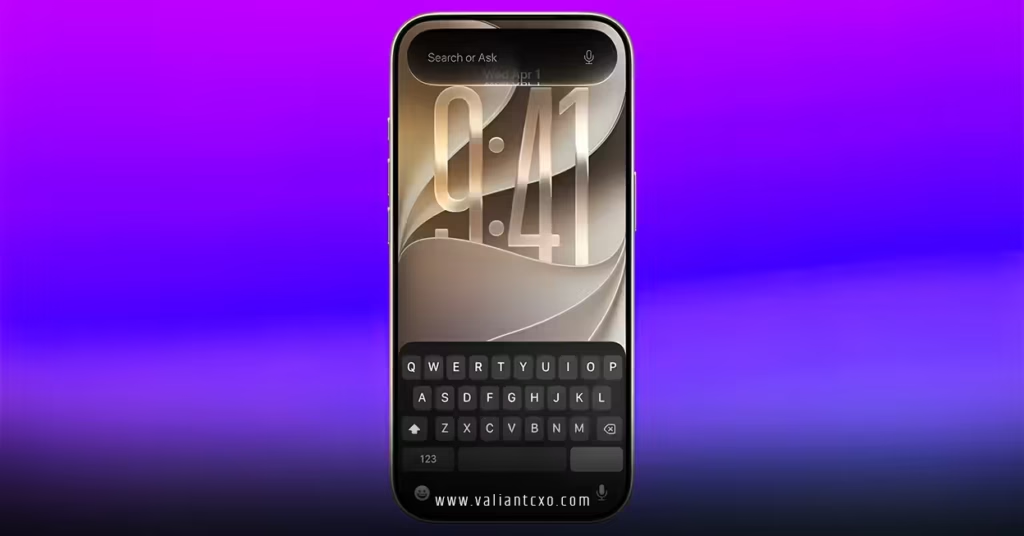
Which iPhones are most likely to get the full iOS 27 experience
If Apple keeps its recent pattern, the safest bets for full support are:
- Current-generation flagship iPhones
- Pro models from the last one or two generations
- Devices with stronger Neural Engine performance
- Phones with enough memory to handle heavier on-device tasks
In plain English: if you want the smoothest shot at the iOS 27 new Siri AI features and Apple Intelligence upgrades, newer Pro models are usually the safest lane.
Common mistakes people make with the iOS 27 compatibility list
Confusing update support with feature support
A phone can install iOS 27 and still not get every feature.
Fix: Check feature-level requirements, not just the OS version.
Assuming all AI features work on older devices
That’s rarely how Apple rolls things out.
Fix: Review which tools need newer chips or stronger neural processing.
Buying a used iPhone without checking the model
A good price can hide a short support runway.
Fix: Verify the exact model, not just the screen size or storage.
Ignoring storage and battery health
Even compatible devices can feel rough if storage is nearly full or battery health is poor.
Fix: Keep free storage available and replace weak batteries when needed.
What to do if your iPhone is not on the iOS 27 compatibility list
If your phone misses the cutoff, you still have options:
- Keep using your current iOS version if security updates remain available.
- Replace the battery to extend useful life.
- Upgrade to a model with stronger long-term support.
- Move important data and settings to a newer iPhone before support becomes a problem.
If your main goal is the iOS 27 new Siri AI features and Apple Intelligence upgrades, upgrading hardware may be the only realistic path.
Key Takeaways
- The iOS 27 compatibility list tells you whether your iPhone can install the update, but not always whether it gets every feature.
- Newer iPhones are far more likely to support the full AI and Siri experience.
- Pro models usually get the best shot at advanced on-device features.
- Older phones may still update, but advanced Apple Intelligence tools may be limited or missing.
- Checking your exact model is more useful than guessing based on age alone.
- If you want the iOS 27 new Siri AI features and Apple Intelligence upgrades, hardware matters a lot.
- Buying or keeping an iPhone should always include a support-life check, not just a price check.
The bottom line: use the iOS 27 compatibility list to make a smarter upgrade decision, and don’t stop at “Can it install?” Ask whether it can actually do what you want. That’s where the real value is.
FAQs
Will my iPhone get iOS 27 if it already runs iOS 26 well?
Probably, but not automatically. iOS support depends on Apple’s final compatibility list, and some older devices may still be cut even if they run the current version smoothly.
Does being on the iOS 27 compatibility list mean I’ll get all the new Siri features?
No. Some of the iOS 27 new Siri AI features and Apple Intelligence upgrades may require newer hardware, especially for on-device AI tasks.
What’s the safest iPhone to buy for iOS 27 support?
A recent Pro model is usually the safest bet if you want both update longevity and the best chance at full feature support.