pos system for small business decisions used to mean picking a cash register and praying the card reader didn’t die mid-rush. Today it’s the operational backbone that rings sales, tracks stock, manages staff permissions, and feeds clean numbers into your books. Get it right and the rest of the business runs cleaner. Get it wrong and you’re stuck reconciling spreadsheets at midnight.
Here’s the quick overview most owners need:
- A modern POS combines hardware (terminal or tablet + reader) and cloud software that processes payments, updates inventory in real time, and generates reports.
- Free-to-start options like Square remove the old monthly software barrier; you mainly pay processing fees.
- The right fit depends on what you sell—retail, food, services—and whether you also sell online.
- Security and PCI compliance are non-negotiable; the best systems handle most of that for you.
- Total cost is driven more by processing rates and volume than the monthly subscription.
What a POS System for Small Business Actually Does in 2026
Think of the old cash register as a dumb calculator. A current POS system for small business is the calculator that also remembers every product, every customer, every shift, and every promotion. It accepts cards, taps, wallets, and cash. It tells you what’s selling by the hour. It flags when you’re about to run out of your bestseller. And it pushes clean data into QuickBooks or Xero without you retyping anything.
In my experience, the owners who treat the POS as just a payment tool leave money on the table. The ones who dig into the reporting and inventory tools usually spot waste or opportunity within the first month.
Cloud-based systems dominate now. Updates happen automatically. You can check sales from your phone while the team rings customers on the floor. Offline mode still works when the Wi-Fi hiccups—because it will.
How to Choose the Right POS System for Small Business: A Practical Filter
pos system for small business Start with three questions:
- What do you sell and how? Simple retail, complex inventory, restaurant tickets, mobile service calls?
- Do you also sell online or plan to?
- What’s your monthly card volume?
Match the tool to the job. Square remains the default starting point for most small shops and cafés because the software is free and the hardware is cheap. Toast owns full-service restaurants. Shopify POS wins when online and in-store inventory must stay perfectly in sync. Lightspeed shines for retailers with hundreds of SKUs and variants. Clover appeals when you want dedicated hardware and an app marketplace.
Processing rates matter more than the monthly fee once volume climbs. A 0.2% difference on $40,000 in monthly cards is real money. Always calculate total cost of ownership, not just the sticker price.
pos system for small business For a solid independent overview of current options and pricing, check the latest comparison from Forbes Advisor on the best POS systems for small businesses.
Step-by-Step Action Plan for Getting Your First (or Next) POS Live
Here’s exactly what I’d do if I were opening a small retail shop or café in the USA right now.
- List your must-haves on one page: payment methods, inventory tracking depth, employee roles, online sales, offline capability, accounting integration.
- Estimate average monthly card volume. This decides whether a flat-rate free plan or an interchange-plus option saves more money.
- Shortlist two or three systems that match your industry. Download the free apps and play with the demo or trial using real products.
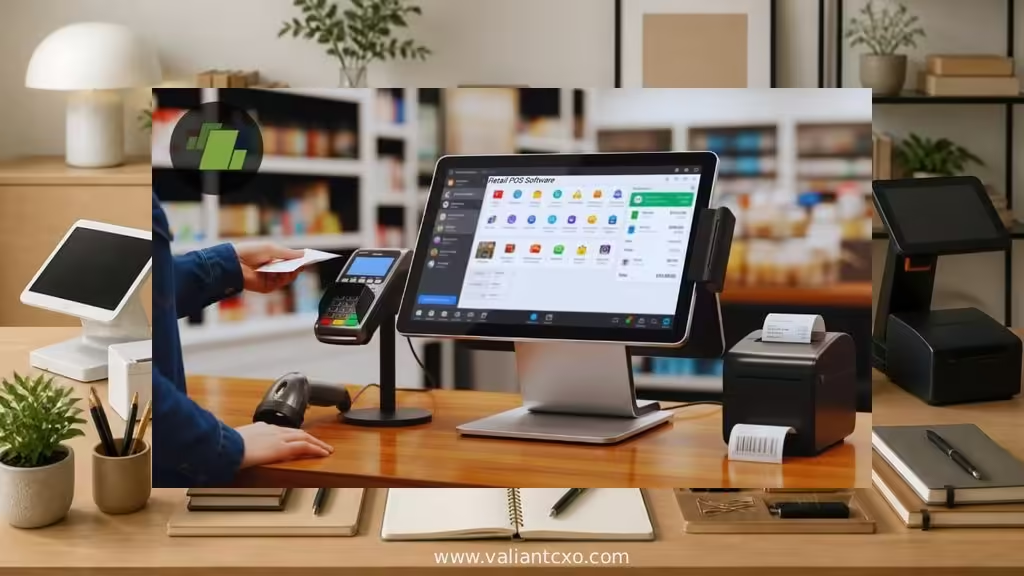
- Price the full setup: software plan, one or two terminals/readers, receipt printer, cash drawer if needed, and the processing rate. Add taxes and any setup fees.
- Confirm PCI compliance path. Most major platforms keep you in the simpler Self-Assessment Questionnaire range by never storing full card data.
- Run a parallel week if you’re switching systems. Ring sales on both for a few days so nothing gets lost in the transition.
- Train the team once, not twice. Role-based permissions prevent accidental voids and unauthorized discounts.
- Go live, then review the first month’s reports like a hawk. Adjust pricing, staffing, or reorders based on what the data actually shows.
This sequence keeps the project from turning into a three-month science project.
Common Mistakes & How to Fix Them
Mistake one: Choosing purely on the lowest monthly software fee. Processing fees usually dwarf it. Fix: Model your real volume and compare total monthly cost.
Mistake two: Ignoring offline mode. Internet drops. If the system freezes, you lose sales. Fix: Test offline capability before signing anything.
Mistake three: Buying proprietary hardware that becomes a paperweight if you switch systems later. Fix: Prefer platforms that work on standard tablets or offer buy-out options.
Mistake four: Skipping employee permissions. One shared login leads to “who discounted that?” arguments. Fix: Individual logins from day one.
Mistake five: Treating inventory as an afterthought. Out-of-stocks kill margin. Fix: Set reorder alerts and actually use them.
Side-by-Side Snapshot: Popular Options for Small Businesses
| System | Best For | Starting Software | Typical In-Person Rate (card-present) | Hardware Approach |
|---|---|---|---|---|
| Square | Most small retail & quick-serve | Free | 2.6% + 15¢ | Affordable readers to full registers |
| Toast | Restaurants & food service | $0 starter | Quoted | Restaurant-grade, durable |
| Shopify POS | Online + in-person retail | $39/mo Basic | Varies by plan | iPad-friendly + proprietary |
| Lightspeed Retail | Inventory-heavy retail | $89/mo | Competitive with their payments | Flexible, multi-location strong |
| Clover | Mixed retail/service, hardware focus | Varies by reseller | Varies | Wide range of dedicated terminals |
Rates and plans change; always verify current numbers directly. For deeper hardware guidance, the U.S. Chamber of Commerce breaks down typical retail and restaurant setups clearly.
Security Reality Check
pos system for small business Every POS that accepts cards must support PCI DSS requirements. Most small businesses fall into Level 4 and complete a Self-Assessment Questionnaire rather than a full audit. The simplest path is using a system that never stores full card numbers on your devices. Keep your Wi-Fi private, give staff individual logins, and enable automatic software updates. That’s the bulk of what Level 4 merchants need to stay compliant.
Key Takeaways
- Square is still the lowest-friction starting point for most U.S. small businesses in 2026.
- Match the system to your sales channels and inventory complexity first, price second.
- Processing rates usually cost more than software fees once volume grows.
- Offline capability and clean accounting integrations save real headaches.
- Role-based permissions and basic inventory alerts prevent common operational leaks.
- PCI compliance is manageable if you choose a modern platform that keeps card data out of your environment.
- Test the actual interface with your products and team before committing.
- Review the first 30 days of data aggressively—your POS will show you where to improve faster than any consultant.
Pick the system that removes friction from your busiest hours and gives you clear numbers the rest of the time. Then set it up once, train the team properly, and let the data do the heavy lifting. Your next step is simple: shortlist two options that fit your business type, open the free trials, and ring a few mock sales this week. The right POS system for small business pays for itself in fewer stockouts, faster checkouts, and cleaner books.
FAQs
What should a brand-new shop look for in a pos system for small business?
Start with zero or low monthly software cost, easy hardware, solid offline mode, and straightforward inventory. Square checks those boxes for most beginners.
How much does a typical pos system for small business actually cost each month?
Software can be free. Processing fees usually run 2.3–2.7% + a small per-transaction amount on card-present sales. Hardware ranges from under $50 for a basic reader to several hundred for a full counter setup. Calculate based on your volume.
Can I switch POS systems later without starting over?
Yes, but inventory and customer data export quality varies. Prefer platforms with clean export tools and avoid heavy proprietary hardware lock-in if you think you might outgrow the first choice.