WhatsApp privacy settings explained can feel like a maze of toggles until you know what actually moves the needle. In 2026, with usernames rolling out and billions sharing chats daily, dialing in these options separates casual users from those who stay truly protected. No fluff—just the controls that matter for keeping your number, photos, and conversations locked down while still connecting smoothly.
- Core benefit: Control who sees your info without killing usability.
- Key areas: Profile visibility, last seen, read receipts, groups, and the new username features.
- Why now: Username integration makes old phone-number risks easier to manage.
- Quick win: Most users overlook the privacy shortcuts in Settings.
Here’s the thing—tweaking these takes five minutes but saves headaches for years.
Why WhatsApp Privacy Settings Matter More in 2026
WhatsApp holds massive personal data: messages, media, call logs. Default settings lean toward convenience, not maximum privacy. With features like usernames letting people message you without your number, understanding the layered protections prevents leaks.
In my experience, most problems come from group invites, status views, or linked accounts. Get these right and you breathe easier.
Navigating WhatsApp Privacy Settings: Main Sections
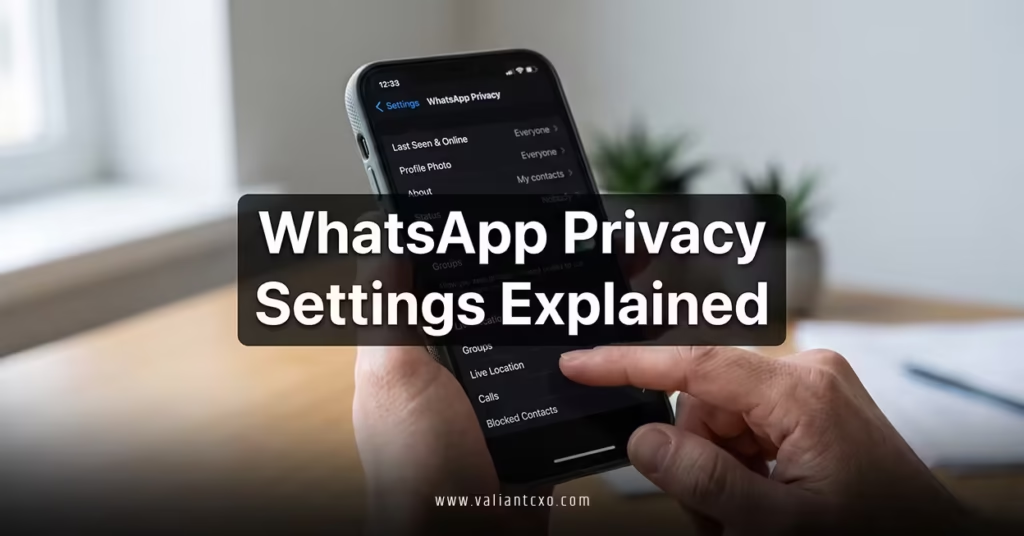
Head to Settings > Privacy on Android or iOS. Here’s what you’ll find and how to set it.
Last Seen and Online Status
Choose who sees when you’re active: Everyone, My Contacts, My Contacts Except…, or Nobody. Pair this with the new username system so people reach you via handle instead of stalking your online times.
Profile Photo, About, and Status
Limit to contacts or specific lists. For business or creator accounts, consider broader visibility but use read receipts wisely.
Read Receipts
Turn off to hide blue ticks. Note: This also hides yours for others. Useful in group chats or with difficult contacts.
Disappearing Messages
Set default timer for chats (24 hours to 90 days). Great for sensitive conversations. Applies per chat or as default.
Groups and Calls
Control who can add you to groups. “My Contacts Except…” is gold for avoiding spam. Same for voice/video call privacy.
Blocked Contacts
Review regularly. Blocked users can’t message or see your status.
How Username Ties Into WhatsApp Privacy Settings Explained
This is where 2026 gets interesting. Once you how to choose and reserve WhatsApp username 2026, your handle becomes the primary public-facing ID.
In Privacy settings, look for the Username Key option—a 4-digit code that strangers must know to message you via @handle. Enable it. It adds a strong gate without complicating things for trusted contacts.
No public username directory means discovery stays intentional. Combine with restricted last seen and you minimize exposure even if someone guesses your handle.
Rhetorical question: Why share your real number when a locked-down username does the job?
Step-by-Step Privacy Setup for Beginners
- Update WhatsApp to the latest version.
- Go to Settings > Privacy.
- Set Last Seen, Profile Photo, and About to “My Contacts”.
- Disable read receipts if you prefer stealth.
- Enable disappearing messages for new chats.
- Review group privacy and set to “My Contacts”.
- Reserve your username (link back to that guide) and turn on the username key.
- Check linked devices and log out suspicious ones under Linked Devices.
Intermediate move: Create custom lists for “Close Friends” vs. “Everyone Else” visibility.
Common Privacy Pitfalls and Fixes
- Over-sharing in groups: Fix by approving adds manually.
- Forgetting about backups: End-to-end encryption stops WhatsApp from reading chats, but cloud backups (Google Drive/iCloud) might not be encrypted by default. Turn on backup encryption.
- Linked Meta accounts: These can sync data. Review in Accounts Center.
- Screenshot notifications: Not available yet, but disappearing messages reduce risk.
- Two-step verification: Enable it under Account settings for account recovery protection.
What usually happens is users ignore two-step until after a scare. Do it now.
Pros and Cons of Strict Privacy Settings
| Setting Level | Pros | Cons |
|---|---|---|
| Maximum Privacy (Nobody) | Strong protection | Harder for legitimate contacts to reach you |
| Balanced (Contacts) | Good usability | Some exposure in large networks |
| Open (Everyone) | Easy connections | Higher spam and stalking risk |
Most people land on balanced. Adjust based on your lifestyle—tighter for public figures or high-profile roles.
Extra Layers: Security Beyond Basic Settings
- End-to-end encryption: Always on for chats and calls. Verify safety codes for important contacts.
- App lock: Use biometric lock or PIN.
- Auto-download media: Disable for unknown senders to avoid malware.
- View once media: Forces single view for sensitive photos/videos.
For businesses using WhatsApp Business API, additional admin controls apply.
External resources worth checking:
- Official WhatsApp Privacy Guide for the most current toggles.
- Meta Privacy Policy for cross-platform data handling.
- EFF resources on messaging app security best practices.
Key Takeaways
- WhatsApp privacy settings explained boils down to visibility controls plus proactive tools like disappearing messages.
- Always combine with a reserved username for number-free outreach.
- Review settings every few months—rollouts can reset defaults.
- Username key is your new best friend against spam.
- Enable two-step verification and backup encryption.
- Balance privacy with usability so you don’t miss real connections.
- Blocked lists and group controls prevent most annoyances.
- Stay updated: New features often bring fresh privacy options.
Nail these WhatsApp privacy settings and you control the narrative. Less noise, more meaningful chats. Open the app right now, tweak the big ones, and link your username strategy. Your digital peace of mind starts with these small changes—make them count.
FAQs
How do I access advanced WhatsApp privacy settings explained in 2026?
Go to Settings > Privacy. For username-related options, check after reserving your handle via the dedicated guide.
Does turning off read receipts affect my WhatsApp username visibility?
No direct impact, but it pairs well with username privacy to reduce tracking when people message you via handle.
Can I customize privacy differently for my WhatsApp username contacts?
Yes—use exception lists and the username key for fine-grained control over new incoming messages.